By Hank Tolman
Manufacturer: AMD and Gigabyte
Product Name: Athlon 5350; Gigabyte GA-AM1M-S2H
Model Number: AD5350JAHMBOX; GA-AM1M-S2H
UPC: 730143304641; 818313020123
Price As Tested: Athlon 5350 $64.99 (Newegg | Amazon); Gigabyte GA-AM1M-S2H – $34.99 (Newegg | Amazon)
Full Disclosure: The product sample used in this article has been provided by Samsung.
If you haven’t heard, desktop computing is losing serious ground to other, increasingly affordable computing solutions, including notebooks, chromebooks, and tablets. Desktops are still around. You probably have one at home and you probably use one at work. With mobile gaming on the rise and so many productivity features being streamlined for mobile platforms, the need for a powerful desktop computer because your other devices can’t handle the load is declining. According to AMD, entry level computing options make up the majority of the market. In this review, Benchmark Reviews takes a look at the AMD Athlon 5350 Kabini desktop processor paired with the Gigabyte GA-AM1M-S2H mATX motherboard and 4GB of DDR3 1600MHz AMD Radeon Series RAM.
 Both Intel and AMD have had entry level options on the market for a while now, but they usually come in form of a processor soldered onto the motherboard. I still have an old Intel Atom mini-ITX motherboard that I used years ago to build a computer that I put in my car. That old Atom can’t run much anymore, even just a few years down the road, but I can’t swap it out either. There is no upgradability for these entry-level computers.
AMD is aiming to change that with the recent release of a socketed Kabini desktop APU. The AM1 platform, with the FS1b socket, brings some customizability and upgradability to entry-level market. Earlier in April, 2014, AMD released a lineup of four AM1 APUs; two Athlon APUs and two Sempron APUs.
| AMD AM1 Kabini APUs | ||||
| Athlon 5350 |
Athlon 5150 |
Sempron 3850 |
Sempron 2650 |
|
| CPU Cores | 4 | 4 | 4 | 2 |
| CPU Frequency | 2.05 GHz | 1.60 GHz | 1.30 GHz | 1.45 GHz |
| GPU Cores | 128 | 128 | 128 | 128 |
| GPU Frequency | 600 MHz | 600 MHz | 450 MHz | 400 MHz |
| Memory Frequency | 1600 MHz | 1600 MHz | 1600 MHz | 1333 MHz |
| L2 Cache | 2 MB | 2 MB | 2 MB | 1 MB |
| TDP | 25 W | 25 W | 25 W | 25 W |
| Price (MSRP) | $55 | $45 | $36 | $31 |
The Kabini desktop APUs use either two or four Jaguar CPU cores paired with GCN GPU cores with 128 streaming processors. The Jaguar and GCN combo has been around for a little while now, and you may have even used them if you’ve played on an Xbox One or PlayStation 4. The Kabini desktop processors are architecturally the same as those APUs, they just fit into a socket.
This new application of low-end APUs in a socket format really represents a push into a new market that is still looking to gain more ground. If you have taken a look at the NUC (Next Unit of Computing), you know that Intel is looking at this same market. The market is aimed for low-powered, low-profile computing for things like an HTPC (Home Theatre PC) or home servers. Although this could be a good market for a very entry-level PC, I think most people will probably just get a laptop. What’s the point in buying a non-mobile platform if it is only able to do things that a mobile platform can do?
When AMD says they are going after the entry-level market, they mean it. AMD announced the MSRP of the Athlon 5350 APU at $55, although in reality you can find it for about $65. With the components that AMD provided us for this review, you could conceivably build an entry level system for under $250. You’ll have to add $100 for Windows, of course. Here’s what I mean:
AMD Athlon 5350 AM1 APU – $65
GA-AM1M-S2H mATX motherboard – $35
AMD Radeon DDR3 1600 Memory 4GB – $47
500GB Hard Drive ~ $50
Case w/ PSU ~ $40
The AMD AM1 entry level platform joins the FM2+ mainstream platform and the AM3+ enthusiast platform to round out the AMD desktop offerings. The Kabini desktop platform, as an APU platform, doesn’t need a Southbridge chipset since everything is controlled by the APU. As such, Kabini offers compatibility with RAM up to DDR3 1600, but only in a single channel. The APU also provides for the availability of two USB 3.0 ports, eight USB 2.0 ports, and just two SATA 6Gb/s ports. Motherboard manufacturers could, of course, add to those by using other controllers, but in an entry level market, that probably won’t be very necessary.
 The Kabini platform supports VGA, DVI/HDMI, and DisplayPort 1.2 display options with up to four video outputs from DisplayPort and HDMI. Kabini also allows for four PCIe 2.0 lanes for a GPU, just in case the built in Radeon R3 graphics aren’t enough for you. There is also a single PCIe 2.0 x1 lane set aside for an Ethernet controller and three PCIe 2.0 x1 lanes for other controllers.
 Kabini APUs start off with the AMD Sempron 2650 with an MSRP of just $31. The 2650 has just 2 CPU cores and runs at 1.45GHz. The Sempron 2650 runs the same R3 graphics as the other Kabini APUs albeit at a slower 400MHz for those 128 GCN Radeon cores. While the other Kabini APUs are compatible with RAM up to 1600MHz, the Sempron 2650 only supports up to 1333MHz. The Sempron 2650 also cuts the cache in half to 1MB.
 The other Kabini Sempron APU is the 3850. With an MSRP of just $36, the Sempron 3850 represents what could be the best deal of the bunch. That’s because the only thing separating the Sempron 3850 from the Kabini Athlon APUs is the slower CPU and GPU frequencies. The Sempron 3850 runs at 1.3GHz on the 4 CPU cores and 450MHz on the GPU. It supports up to 1600MHz DDR3 RAM and has a full 2MB of cache.
 The Athlon APUs represent the higher end of the spectrum of Kabini APUs. The Athlon 5150 and the Athlon 5350 both run the 128 GCN Radeon Cores at 600MHz. They both support up to 1600MHz RAM and have 2MB of cache. In fact, the only difference between the Athlon 5150 and the Athlon 5350 is the CPU frequency. Both the Athlon 5150 and the Athlon 5350 are quad-core APUs, but the Athlon 5350 runs at a faster 2.05GHz while the Athlon 5150 runs at 1.6GHz. The Athlon 5150 APU has an MSRP of $45, while the Athlon 5350’s MSRP is $55. As of the time of this writing, the actual retail prices of those APUs are a little higher than the MSRP.
To test the Kabini desktop platform, AMD sent us the Gigabyte GA-AM1M-S2H. In order to meet the design idea behind the Kabini desktop platform, motherboard manufacturers need to keep costs down. That means sticking with the stuff the APU provides and adding just the bare essentials. With that in mind, the Gigabyte GA-AM1M-S2H motherboard is pretty bare essentials. Gigabyte added an iTE Super I/O chip to the mix that adds PS/2, serial, and LPT ports. That’s right, the GA-AM1M-S2H has a parallel port header and two serial port headers. What are the chances that any of those will ever be used?
 Gigabyte also needs to provide the GbE port and an Audio codec. For the GA-AM1M-S2H, Gigabyte uses the Realtek ALC887 Audio Codec and they also use Realtek for the GbE chip. The ALC887 Audio Codec wouldn’t be my typical entry-level choice, but it is a good one. The ALC887 offers up to 7.1 channel audio and it’s a Codec you’d be likely to find on much more higher-end motherboards.
The Gigabyte GA-AM1M-S2H rear I/O panel is pretty straightforward. There are PS/2 ports for a keyboard and mouse followed by VGA and HDMI video outputs. Next comes the two USB 3.0 ports supported by the Kabini platform. Two USB 2.0 ports, a GbE port, and three Audio ports finish things off. Since there are only three audio ports on the rear panel, you’ll have to use front panel HD Audio ports to get 7.1 channel sound. I, personally, would have liked to see only a single PS/2 port, or none at all, and a few more USB 2.0 ports. I think what we have seen here on the GA-AM1M-S2H is going to be pretty typical of what you’ll find on an AM1 motherboard.
 While the Kabini APUs have a TDP of a mere 25W, you’ll still need to plug in a 4-Pin CPU power connector in addition to the 24-Pin ATX power connector on the Gigabyte GA-AM1M-S2H motherboard. The GA-AM1M-S2H comes with two DIMM slots, but since the Kabini platform only uses a single channel for RAM, a bigger DIMM may be a better option than a second DIMM. While the GA-AM1M-S2H probably won’t need much in the way of cooling, it does have a single 4-pin system fan header in addition to the CPU fan header. I would imagine that most systems built using the Kabini APUs will probably aim for silence and either have only a single system fan or none at all. In fact, I wouldn’t be surprised to see a few passive-only CPU coolers available for the AM1 platform.
 The GA-AM1M-S2H is technically a micro-ATX motherboard, but it really sits in-between the size of a mini-ITX motherboard and a micro-ATX motherboard. A mini-ITX motherboard measures 17cm X 17cm and a micro-ATX is typically 24cm X 24cm, although it can really measure anywhere between mini-ITX and ATX. The GA-AM1M-S2H motherboard measures 22.6cm X 17cm.
The GA-AM1M-S2H motherboard includes a single PCI-E x16 slot and two PCI-E x1 slots. The PCI-E x16 slot, based on the on-APU controller, will run only at the PCI-E 2.0 standard and will also run only at x4, since only 4 lanes are provided for PCI-E x16 devices. The Kabini APU provides 4 lanes for PCI-E x1 devices. One is used for the GbE and the GA-AM1M-S2H uses two more for the two PCI-E x1 slots. It looks like the last one is wasted.
 Gigabyte provides a bit of forward-thinking with the addition of a Real-Time Clock on the GA-AM1M-S2H motherboard. Kabini APUs have the CMOS function fully-integrated, which is fine for an APU that is typically solder onto the board and non-upgradable. The socket AM1 APUs, though, are meant to be upgradable. Removing the APU, however, would cause the BIOS and Windows to lose track of the proper time/date. With the addition of the RTC IC, Gigabyte is making sure that doesn’t happen.
As an upgradeable, entry-level system, the AM1 platform really stands in a league of its own at this point. The closest competitors in terms of price are Intel’s Celeron and Pentium G processors. Unfortunately, I don’t have any of those chips to test against. The lowest level competitor CPU I have on hand is the Core i3-3220 Ivy Bridge CPU, which costs roughly double what the Athlon 5350 costs.
According to all of AMD’s information, however, the performance of the Athlon 5350 APU should match more closely with much higher priced Intel CPUs, so pitting the 5350 against the i3-3220 might not be as much of a slaughter as the price might suggest. I have also added in the i3-4340 since the Ivy Bridge chips are getting on in age. I thought it would be nice to have a newer Intel CPU in the mix. Just keep in mind that the AMD Athlon 5350 APU isn’t really even in the same market as the i3 CPUs.
FM2+ Test System
- Motherboards: ASUS A88X Pro
- Processor: AMD A10-7850K
- System Memory: 8GB AMD Radeon DDR3 2400MHz
- Disk Drive: Seagate 1TB SSHD ST1000LM014
- PSU: Corsair CMPSU-850TX 850W 80-Plus Certified
- Operating System: Windows 7 Professional 64-bit
AM1 Test System
- Motherboards: Gigabyte GA-AM1M-S2H
- Processor: AMD Athlon 5350
- System Memory: 4GB AMD Radeon DDR3 2400MHz
- Disk Drive: Seagate 1TB SSHD ST1000LM014
- PSU: Corsair CMPSU-850TX 850W 80-Plus Certified
- Operating System: Windows 7 Professional 64-bit
Intel Test System
- Motherboards: Biostar HiFi Z87W, Biostar HiFi Z77X
- Processor: Intel Core i3-4340, Intel Core i3-3220
- System Memory: 8GB AMD Radeon DDR3 2400MHz
- Disk Drive: Seagate 1TB SSHD ST1000LM014
- PSU: Corsair CMPSU-850TX 850W 80-Plus Certified
- Operating System: Windows 7 Professional 64-bit
Compute Benchmarks
- AIDA 64
- SiSoftware Sandra 2014
- Cinebench R15
DirectX-11 Benchmark Applications
Synthetic Benchmarks
- 3DMark
- Firestrike, Cloudgate, Ice Storm
- 3DMark11
- “Performance” settings (1280×720)
- Unigine Heaven Benchmark 4.0
- Tesselation, Low Settings
Gaming Benchmarks
- Tomb Raider
- Normal Settings
- Bioshock Infinite
- Low Settings
- Battlefield 4
- Normal Settings
 The Queen benchmark is a simple integer benchmark focuses on the branch prediction capabilities and the misprediction penalties of the CPU. The Photoworxx benchmark performs common photo and image editing tasks. The AMD APUs certainly excel in the Queen tests, but the Athlon 5350 comes down below the i3s in Photoworxx.
 The next two benchmarks both go to the Intel CPU. The AES benchmark tests CPU performance using AES. The Hash benchmark measures CPU performance using SHA-1. The Athlon 5350 hangs in there on both benchmarks.
 This integer benchmark measures combined CPU and memory subsystem performance through the public ZLib compression library. CPU ZLib test uses only the basic x86 instructions, and it is HyperThreading, multi-processor (SMP) and multi-core (CMP) aware.
 The final benchmarks are the floating point benchmarks. Julia tests single-point precision (32-bit) and Mandel tests double-point precision (64-bit). As is normal, the Intel CPUs dominate the floating point tests. The Athlon 5350 does hang out pretty close to the higher end A10-7850, though.
SiSoftware Sandra is a 32- and 64-bit client/server Windows system analyzer that includes benchmarking, testing and listing modules. It tries to go beyond other utilities to show you more of what is really going on under the hood so you draw comparisons at both a high and low-level in a single product. You can get information about the CPU, GPGPU, chipset, video adapter (GPU), ports, printers, sound card, memory, network, Windows internals even .NET and Java.
 It’s no surprise that the Athlon 5350 lands at the bottom of the pack in the Sandra benchmarks, particularly in the memory bandwidth test, where the AM1’s single channel hurts it. That being said, the Athlon 5350 does keep up pretty well with the i3-3220, which costs roughly twice as much.
 The Athlon 5350 actually outperforms the i3-3220 in the arithmetic benchmarks, but falls back to the bottom of the stack in multi-medand GP processing. The GP processing is a bit of a surprise, considering the much better graphics on the 5350.

In the pure CPU benchmark, the Athlon 5350 gets destroyed by the other processors in our test bench. The 5350 is really in a different category altogether, but this test gives you an idea of where it stands performance-wise.
Next, let’s look at DX-11 performance.
3DMark11 is Futuremark’s latest iteration of the video card software benchmark suite, building on the features of 3DMark Vantage and 3DMark 06 as well as earlier version. It’s optimized and intended for testing DirectX-11 capable hardware running under Windows Vista or Windows 7.
- 3DMark11
- “Performance” settings, 1280×720 resolution
 The graphics benchmarks are where we would expect the Athlon 5350 to start to shine, with it’s R3 GPU cores. The Athlon 5350 outpaces the i3-3220, but can’t quite keep up with the i3-4340.
The Unigine Heaven benchmark is a free publicly available tool that grants the power to unleash the graphics capabilities in DirectX-11 for Windows 7 or updated Vista Operating Systems. It reveals the enchanting magic of floating islands with a tiny village hidden in the cloudy skies. With the interactive mode, emerging experience of exploring the intricate world is within reach. Through its advanced renderer, Unigine is one of the first to set precedence in showcasing the art assets with tessellation, bringing compelling visual finesse, utilizing the technology to the full extend and exhibiting the possibilities of enriching 3D gaming. The distinguishing feature in the Unigine Heaven benchmark is a hardware tessellation that is a scalable technology aimed for automatic subdivision of polygons into smaller and finer pieces, so that developers can gain a more detailed look of their games almost free of charge in terms of performance. Thanks to this procedure, the elaboration of the rendered image finally approaches the boundary of veridical visual perception: the virtual reality transcends conjured by your hand. The Heaven benchmark excels at providing the following key features:
- Native support of OpenGL, DirectX 9, DirectX-10 and DirectX-11
- Comprehensive use of tessellation technology
- Advanced SSAO (screen-space ambient occlusion)
- Volumetric cumulonimbus clouds generated by a physically accurate algorithm
- Dynamic simulation of changing environment with high physical fidelity
- Interactive experience with fly/walk-through modes
- ATI Eyefinity support
- Unigine Heaven 3.0
- High Shaders, Extreme tessellation,8xAA, 4xAF
The new 3DMark includes everything you need to benchmark your hardware. With three all new tests you can bench everything from smartphones and tablets, to notebooks and home PCs, to the latest high-end, multi-GPU gaming desktops. And it’s not just for Windows. With 3DMark you can compare your scores with Android and iOS devices too. It’s the most powerful and flexible 3DMark we’ve ever created.
 The Athlon 5350 gives us a really disappointing showing in Firestrike and Cloudgate benchmarks. It doesn’t even come close to the other processors.

The Athlon 5350 redeems itself in the least intensive of the 3DMark benchmarks; Icestorm. In this case, the Athlon 5350 actually inches ahead of the i3-4340.
The Tomb Raider game includes a benchmark in it that highlights the TressFX features used in the game. TressFX is specifically a hair quality physics feature that aids in realistic looking hair in games. Each strand of hair is given dozens of connections in a chain-like fashion. Each strand can be affected by gravity, wind, and head movements. The hair is also given collision, so that the overlapping hairs don’t merge together and they don’t penetrate solid surfaces like the character’s head.

Bioshock Infinite, by Irrational Games, was one of the most highly anticipated games of its time. According the vast majority of reviews on the game, it didn’t disappoint. Having played it, I can tell you that the story line grabs you and doesn’t let go. The moral and ethical quandries and twisting plot will keep you in front of your screen for hours on end. The graphics are nothing to shake a stick at either. That being said, Bioshock Infinite was built on the aging (although still widely used) Unreal Engine 3. That same engine has been in use since DX9 and was designed to take full advantage of shader hardware. In Bioshock Infinite, of course, the engine uses DX11 features to make the graphics that much more realistic.

That’s it for the benchmarks.

IMPORTANT: Although the rating and final score mentioned in this conclusion are made to be as objective as possible, please be advised that every author perceives these factors differently at various points in time. While we each do our best to ensure that all aspects of the product are considered, there are often times unforeseen market conditions and manufacturer changes which occur after publication that could render our rating obsolete. Please do not base any purchase solely on our conclusion, as it represents our product rating specifically for the product tested, which may differ from future versions. Benchmark Reviews begins our conclusion with a short summary for each of the areas that we rate.
The Athlon 5350 and AM1 platform perform very well considering the market position they occupy. While the Athlon 5350 sat at the bottom of all except the gaming test, the competition wasn’t exactly fair. I used what I had on hand, but I had to compare the extremely entry level AM1 platform to the much more mainstream i3-3220 and i3-4340. The fact that the Athlon 5350 often matched and sometimes beat the performance of the i3-3220 is a testament to it’s power. For what it is, the Athlon 5350 and AM1 platform are great performers.
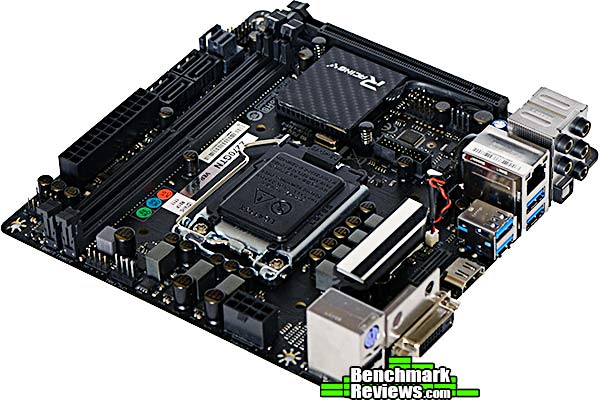
The Gigabye AM1M-S2H that was provided to us in order to test the AM1 platform is somewhat plain in appearance. It does sport matching green capacitors across the board, which makes it stand out a little. Flashy appearances aren’t really that necessary on the AM1 platform, however. This is not the type of motherboard that you put into a full tower case with a window and some lighting to show off. The AM1 platform is more designed to be put into a small box and hidden away in an entertainment center drawer, a closet, or maybe on or under a desk.
The AMD Athlon 5350 and the AM1 platform are specifically constructed to fit the needs of the niche market in which they find themselves. The Gigabyte AM1M-S2H sticks to the Gigabye Ultra Durable standard. The Athlong 5350 and the AM1 platform withstood our rigorous testing without any difficulty. We’ve come to expect a high level of construction quality from AMD and their manufacturing partners. The AM1 platform doesn’t disappoint.
In terms of functionality, the AM1 platform provides exactly what it needs to meet the demands of its market and not much else. The AM1 drops to a single memory channel, which is something that is very hard to find in a desktop product now. That being said, for its purpose, it doesn’t really need more than a single channel. PCIe lanes are limited, but a discrete graphics solution isn’t really a must here. The idea for the AM1 platform is to keep costs low. To that end, the functionality should provide everything you need, but nothing you don’t. I’m not sure that the AM1M-S2H motherboard needed the extra IO chip.
At the time of this writing, the AMD Athlon 5350 cost $64.99 (Newegg | Amazon), and the Gigabyte GA-AM1M-S2H was available for $34.99 (Newegg | Amazon). Add to that another $150 for the rest of the components you’ll need and you could have an entire entry-level system for around $250. That’s a pretty great price for a system that would work perfectly as media center or a home server. I think this platform would be perfect for the needs of most home computer systems. The problem is that most home users aren’t necessarily DIYers.
Pros:
Cons:
– Single DDR3 Channel
– Niche Market
-
Performance: 8.00
-
Appearance: 8.00
-
Construction: 9.00
-
Functionality: 8.00
-
Value: 9.00
Read more at https://techplayboy.com/13745/asus-a88x-pro-amd-motherboard-review/10/#z5WdijhziEI4utxx.99

2 thoughts on “AMD Athlon 5350 and Gigabyte GA-AM1M-S2H Review”
Where are the gaming benchmarks? All I see are game descriptions on that page, with no results.
Thank you for the message. We hope to have an update for you very soon.
Comments are closed.