By David Shields
Manufacturer: Fractal Design
Product Name: Define Series R5
Model Number: FD-CA-DEF-R5-BK
UPC: 817301012584 EAN: 7350041082583
Price As Tested: $109.99 (Available December 2014)
Full Disclosure: The product sample used in this article has been provided by Fractal Design.
Fractal Design is probably best know for it’s Define series chassis lineup, cases designed for high performance while keeping a low noise level and budget price tag. The current version, the Define R4, was much praised for its customization options, cooling performance, and noise control. However, at the beginning of last year NZXT released their H440 chassis, a case that was called the “Define R4 Killer,” because of it’s enhanced cooling options, quiet operation, and stunning looks. But now Fractal Design have given their answer to the H440, and it’s a big one – the Define R5.
This new and improved Define series chassis features additional cooling options, incredible customization, noise cancelling features, and a sleek, untouched look that somehow manages to look all the better for it. In this techplayboy.com review, we’ll look at the many features the Define R5 has to offer and why it should be on the list of anyone looking for a new chassis for their next build.

| Dimensions | 232 x 462 x 531. |
| Weight | 10.2 kg. |
| Color Options | Black, white, titanium (black with titanium front panel). |
| Front I/O | Two USB 3.0 + two USB 2.0, audio in/out, power button with blue LED, blue HDD activity LED, reset button. |
| Motherboard Compatibility | ATX, mini-ATX, mini-ITX. |
| Cooling System | Nine fan positions (2 Fractal Design Dynamic GP14 140mm fans included), filtered fan slots in front and bottom, CPU coolers up to 180 mm in height. |
| Storage Capacity | Two 5.25” bays (removable), eight 3.5″ HDD positions (can also accommodate 2.5″ units), two additional 2.5″ dedicated SSD unit positions. |
| PSU Compatibility | ATX PSUs up to 190/170 mm with a bottom 120/140mm fan installed, when not using any bottom fan location longer PSUs up to 300mm can be used. |
| Expansion Compatibility | Graphics cards up to 310 mm in length with the top HDD cage installed, with the top cage removed, graphics cards up to 440 mm in length may be installed, seven expansions slots. |
| Additional Information | 20 to 35 mm of space for cable routing behind the motherboard plate, velcro straps included for easy cable management. front door can switch opening direction, left side panel has a Quick Release System for easy access and provides a secure closure of side panel, right side panel features smart captive thumbscrews. |
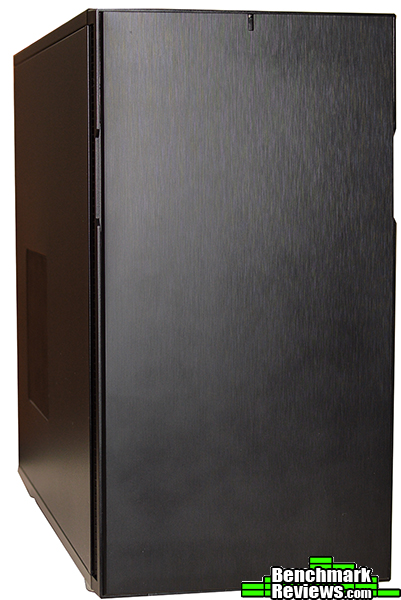
The front panel of the Define R5 is covered by a very solid door made from brushed plastic. This means the front of the chassis is left completely unblemished except for a little HDD LED light at the top. The door can be moved to open from one side or the other, or can be removed entirely. The inside of the door is covered with a large sheet of sound dampening padding, and is a very heavy material unlike the foam used in many other cases. Large vents are included on each side of the front panel for intake even if the door is in place.
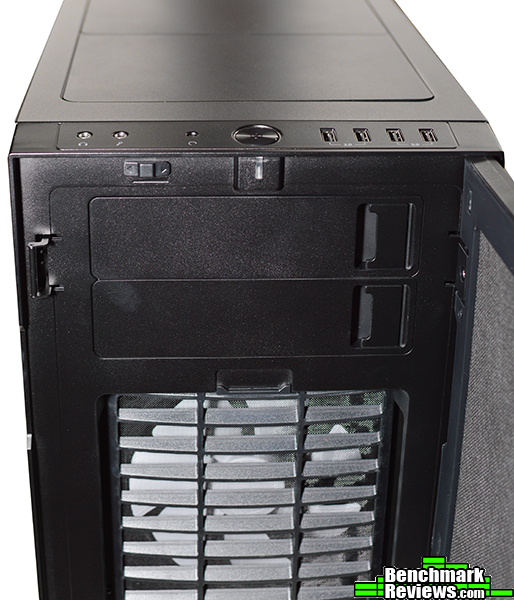
 Opening the front panel reveals a pair of 5.25 inch drive bays, the full panel noise padding, and the dust filter in front of the dual 120mm/140mm intakes. The filter is removed by simple pulling down and out using the top flap.. Likewise, the 5.25″ bay covers are easily removed by pulling the latch on the side.

This is non-windowed version of the Define R5, and as a result has a 140mm / 120mm “Moduvent” on the aluminum side panel. This Moduvent allows you to choose whether you’d like extra sound proofing by keeping it in place, or extra cooling by removing it. The R5 also features a different design on each side to remove the panels. To remove the panel with the vent/window you first remove the thumbscrews then release the latch on the end of the panel. But for the other side, you instead get two captive thumbscrews designed to stay in place with the panel. I’m very curious as to why Fractal Design went with two different designs on the same chassis. The latch design is ostensibly for a more secure lock, but it’s still a curious decision. The inside of each side panel is also covered in the same heavy duty noise cancelling padding the front panel has.

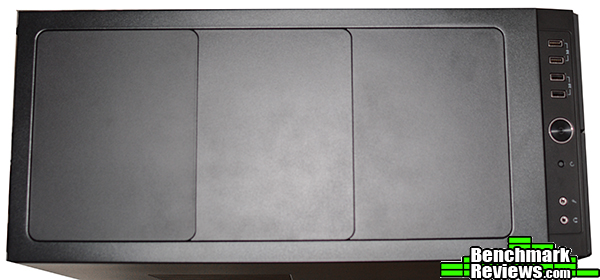
The top panel features an additional three “Moduvent” covers with mounts underneath that support up to three 120mm or 140mm fans. You can choose to leave the panels in place for sound purposes, or take off one, two, or all three for cooling. Removing the covers are as easy as pressing a few points underneath the panel.
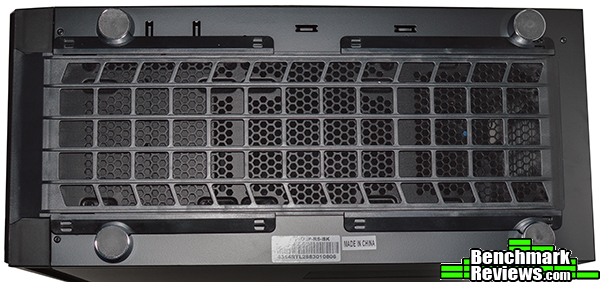
The bottom panel features a pull out dust filter for the PSU intake and dual mounts that can fit a pair of 120mm case fans or one 140mm fan. Four rubberized feet provide some ground clearance and vibration reduction.
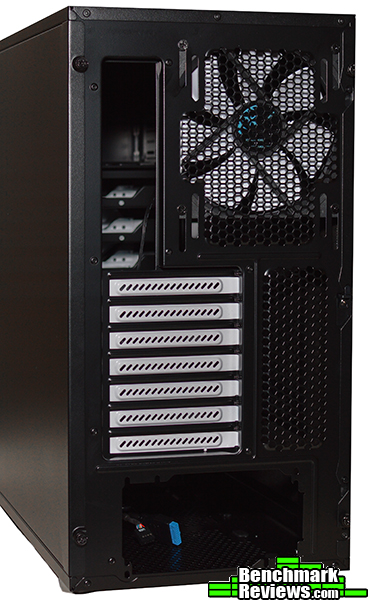
The back panel of the Define R5 has the standard assortment of expansions slots along with a mount for a single 120mm or 140mm fan. What it doesn’t have though, are grommets for external radiators. Of course, how many of us actually use external radiators, especially in a case that has plenty of room for internal radiators? Still, their lack is something of a departure from a usual feature in many traditional tower cases.
The Fractal Design Define R5 is a very solid case on the outside. To be honest, there’s really nothing to complain about. You get a healthy plethora of customization options that let you balance between cooling and noise, a sturdy construction, and it looks pretty slick. Some oddities like the different panel removal systems can be overlooked as just that – an oddity, but not something that is actually a problem.
Just like the exterior of the chassis, the Define R5 has a great deal of customizability as far as cooling vs. storage space. Both HDD tray brackets can be removed completely with a few thumbscrews, or relocated to another spot on the bottom. Moving them can free up space in the front panel for a water cooling radiator (including push/pull), or an additional fan on the bottom. With the HDD cages in place you can fit graphics cards of up to 310mm in length. The dual 5.25″ bays can also be removed completely, and doing so gives you an extra 140mm/120mm mount on top. This can be useful if you’d like a bit more ventilation, as some cases have a mount above the drive bays but the bays restrict the airflow. CPU coolers of up to 180mm can be installed in the Define R5, while you can place a PSU 190/170mm if you have a fan in the bottom slot, or without a fan, a PSU up to 300mm.

With all the 3.5″ and 5.25″ bays removed you get a whopping 440mm of space for expansion cards, but you can also get space for a push/pull configuration on the front panel, a 420mm radiator on the top, and a 240mm in the bottom, which is a huge amount of cooling for such a small chassis.
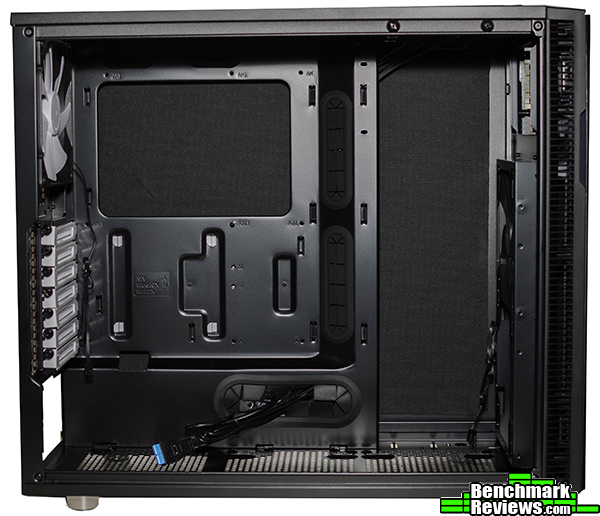
On the back panel we find a huge motherboard cutout more than 200mm across. Cable management is simple, with numerous tie down points, and more importantly, 31mm of space between the backplate and the outer frame. I say outer frame instead of side panel because with the panels in place you actually still get a few additional mm’s of space beyond the frame, even with the sound padding! Depending on where you route cables, you can get 20-35mm of space. It’s great to see Fractal Design take note of the problems some cases have combining sound dampening pads with cable management and come up with an excellent solution.
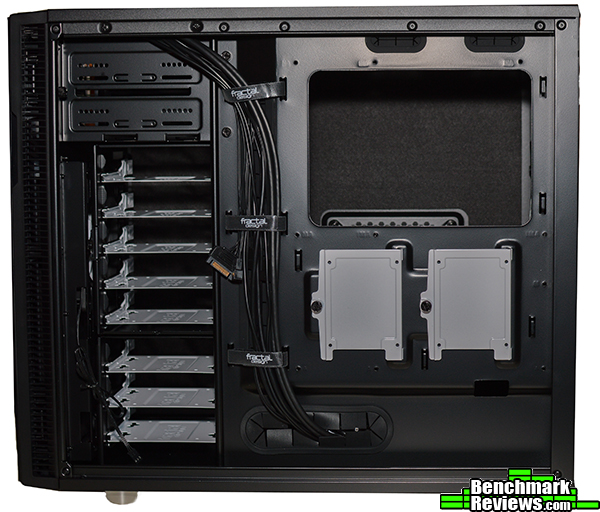
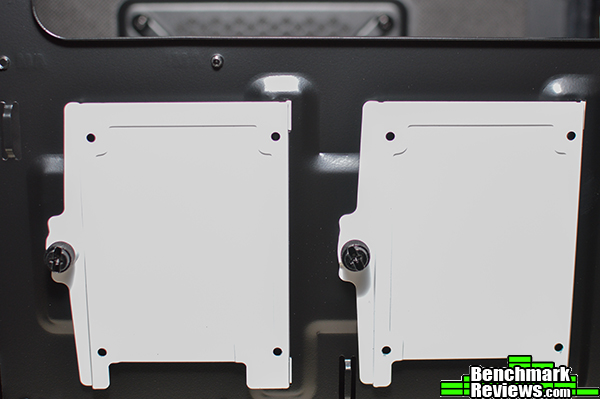
The backplate also has a pair of 2.5″ drive brackets so that if if you do remove your HDD bays, you still get plenty of storage. The downside though is that the brackets take up a fair bit of space so routing your cables around them might not be as simple as you’d like.
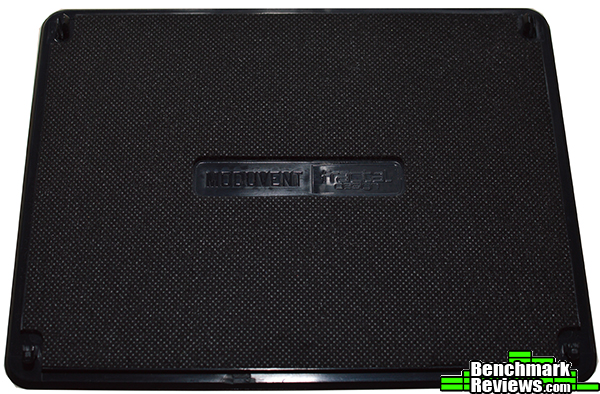
A look at one of the “Moduvent” covers shows how each is covered with a thick layer of sound dampening material on the bottom. This particular cover is from the top panel, and was easily removed by pressing on the pair of points at on the top corners of this cover.
Another look at the front panel shows off the standard assortment of power switch, reset switch, and dual 3.0 and 2.0 USB ports. The power button is a push-button, and when I first pressed it down it got stuck. It seems okay now but be mindful that you push it straight down because it wiggles back and forth a bit. Also, right above the 5.25″ cages is a little three speed fan controller switch, which can control up to three fans.
Just like the exterior, the interior shows a very strong attention to detail and high degree of customizability. Do you want storage or extra cooling? Do you want stronger cooling but less noise? Or would you even prefer to keep as much storage as possible but still get that big push / pull radiator in the front? The Fractal Design Define R5 lets you choose what you want, and does a fine job of it no matter what you prefer for your build.
Variety of cooling options? Check. Plenty of customization options?. Check. Solid construction and strong appearance? Check. Any way you look at it, it’s hard to find fault with the Fractal Design Define R5. The Define R4 was much lauded for it’s cooling options and design, and with the R5, Fractal Design has demonstrated that they listened to their customers and made a variety of adjustments. With HDD cages that can be fully removed and relocated along with removable 5.25″ bays, the R5 brings a level of cooling and custmization not previously found in the series. Removable 5.25″ cages, a modular door panel, top “Moduvent” covers, and additional fan mounts on the top and bottom make the R5 great successor to the R4. Fractal Design clearly took note of the success of NZXT’s H440 chassis, and have designed the R5 to succeed the R4 as the best quiet PC case around.
Solid noise cancelling along with high cooling capacity means that the R5 offers great perfomance. And with the customization options at your disposal, you can tailor you build however you see fit. Granted, you have to make trade offs. For example, removing the front door will boost airflow but increase noise, and the same applies to the top panel as well. It’s really what you want more that matters.
The R5 is by no means flashy. Minimal LEDs, matte black throughout the exterior, and a few parts such as the hard drive trays and expansions slots colored white makes for a very elegant design though. The front door panel, aside from functioning to block noise, also keeps the exterior free from ugly 5.25″ inch drives, and the “Moduvent” covers on the top cover the vents when they aren’t in use. Grab a windowed version, some black internals, and add some LEDs and you’ll end up with a system that’s not only quiet, but looks great as well.
The Define R5 a mix of plastic and aluminum, which is to be expected from a case in this price range. But despite this, I didn’t feel like any of the parts were going to break or fall off. The HDD/SSD trays are even made of steel, and if there’s one place I’ve often felt build quality was a little lacking, it was wit plastic drive trays. Not with the R5 though. The previously mentioned power button is a bit questionable, but everything else about this chassis is solid.
The only issue I have with the functionality of the Define R5 is not with what was included, but what rather wasn’t included. With the now removable 5.25 bays, it would have been really nice to have seen the option to add an additional fan in the front if the bays were removed. This might seem a little difficult to do, but I think it’s something that can really be done with some thought and ingenuity. Perhaps this is something to think about for the R6? Because right now, the only reason to remove the 5.25″ cages is for the one additional fan mount on the top.
The Define R5 will sell for $109.99, with the windowed version costing $119.00. This means that it’s closest competitor is of course the NZXT H440, which also sells for $119.00. The biggest difference out of the box is that the H440 includes four 120mm case fans, while the Define R5 only has a pair of 140mm fans. But when designing your system, the R5 offers more in the way of expansion options (with bottom and additional top mounts) than the H440 does. As a result, this makes the Define R5 a much better value for those planning to create custom water cooling loops or install multiple AIO radiators.
NZXT better watch out. The H440 may have claimed the quiet performance mid tower crown from the R4, but the R5 is here now, setting a new benchmark in mid tower design with what the Define series has always been known for, customization, high performance and low noise, all at an affordable price intended for everyone.
+ Elegant, simple design.
+ Plenty of water cooling options.
+ An interior designed for a simple, painless system construction.
+ Enough customization for everyone to build what they want.
+ I’m having to majorly nitpick to have any cons at all.
– Removable 5.25″ bays feel like a missed opportunity to do more.
– SSD “stealth” mounts interfere slightly with cable management.
-
Performance: 9.50
-
Appearance: 9.50
-
Construction: 9.25
-
Functionality: 9.75
-
Value: 9.50


