- Gaming-grade scroll wheel with ALPS encoder.
- 16.8 million color backlit profile system.
- 45 degree angle sniper button.
- Special soft-touch surface.
- Cougar UIX software system interface.
| Product Name | COUGAR 600M Gaming Mouse |
| Sensor / Resolution | ADNS-9800 Laser / 8200 DPI |
| Processor / Memory | 32-but ARM Cortex-M0 / 512KB |
| Polling Rate | 1000Hz / 1ms |
| Buttons / Switching | 8 / Omron switches |
| Interface | Gold plated USB plug |
| Cable length | 1.8m Braided |
| Dimensions | 125(L) x 80(W) x 42 (H) mm |
| Weight | 90g |
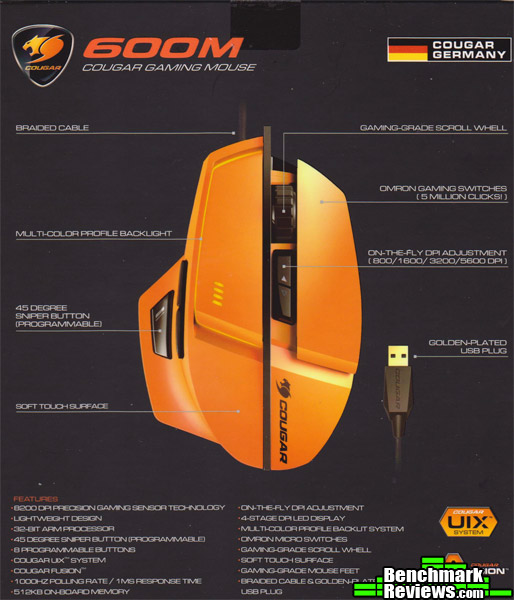
The mouse was received in an attractive box outlining the highlights of the mouse. It’s nice to see a company that just sticks with the basics and doesn’t attempt to hype the consumer up or pull them in by spending exorbitant amounts on advertising, fancy packaging, or buzz words (then justify charging more). This seems to be the trend these days and it just makes it more difficult to discern those worthy of money or praise.
 |
 |
First up is the side profiles: One can not help but notice how distinctive looking the 600M is in bright “Cougar Orange.” The entire mouse is coated with a “soft-touch” rubber that feels like velvet. In the first panel one can see how the sniper button is indeed resting right below where the thumb naturally rests. The second panel is to show the curvature of the palm and how ergonomically it is designed. It appears in this case that the 600M is better suited for an open palm type of grip; however, it is definitely light enough to employ the claw-grip also.
 |
 |
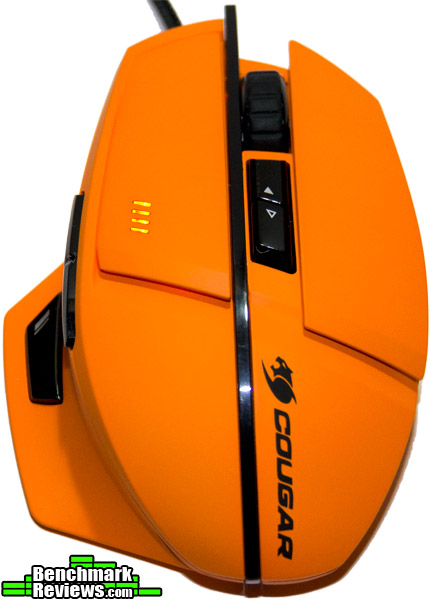
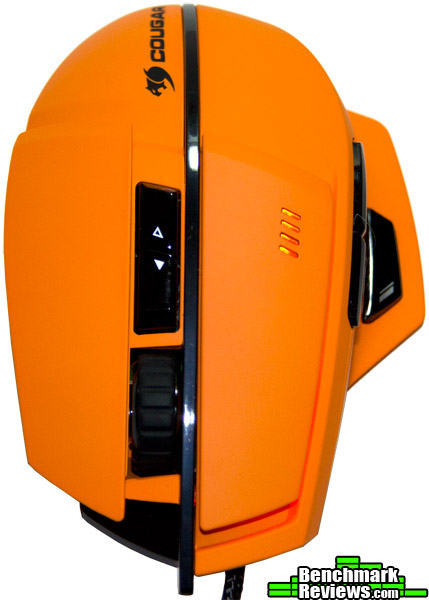
It’s a little difficult to see in these shots, but there is an orange profile light that wraps around the left main mouse button (this may be changed to any color touched on later in the review). The 4 small DPI lights on the left mouse button are highly visible and controlled by the arrow keys below the mouse wheel. Cougar managed to employ a high-end gaming-grade rubberized scroll wheel with this unit that provides extremely accurate tactile feedback and has nice, firm, distinctive scrolling.
 |
 |
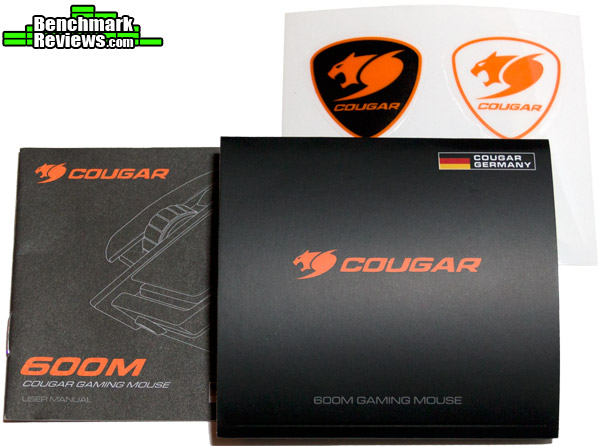
Check out the wide bottom and distinct way the “mouse pad feet” wrap around almost 75% of the base. The 600M is so light that the larger mouse feet pads are not even needed, but what this does provide is an easy solution for keeping dirt, dust, or hair from or near the laser sensor. The last panel shows the accessories supplied: A multi-language quick start-up manual if one needs help plugging their mouse in and of course the mandatory Cougar Decals for that extra flair.
 |
 |
One element that surprised me was how incredibly light the 600M is at 90 grams. Normally I prefer a heavier mouse all weighted up around 130-140 grams; yet this was so ergonomically designed it wasn’t even a factor anymore. The soft-touch rubber also managed to keep the palm cool and dry in extended sessions. Keep in mind that there is another color available, a matt black with the same finish, if orange is just not your thing.
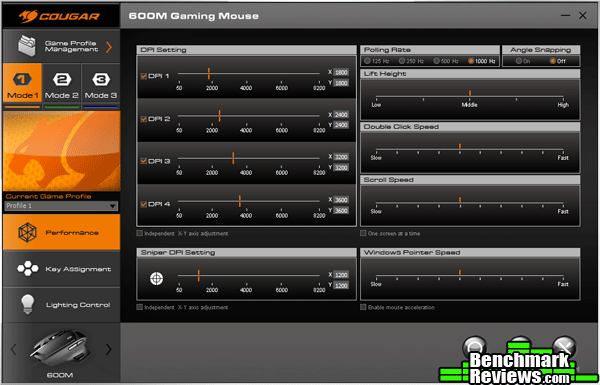
The drivers for the Cougar 600M need to be downloaded from their site and is required if any changes need to be made to the default parameters. The Performance panel shows the game profile management (there is three) with 4 levels of DPI, a separate DPI selector for the sniper button, polling rate, angle snapping, lift height, pointer and click speeds. The Key Assignment panel gets a lot more in depth with basic, advance, and macro tabs added. The default layout appears to be just about perfect with the only key needing assignment was the sniper key.
 |
 |
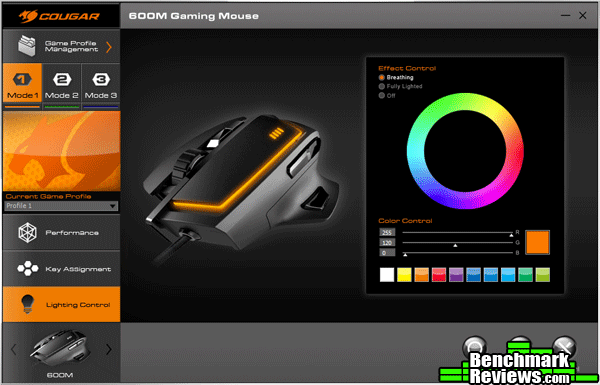
The Lighting Control tab has 16.8 million colors available in two modes: breathing or a steady on. The single light can be used as an indicator of what profile the user is on or turned off entirely. When the settings are all configured, the Game Profile Management tab (located at top left corner of panel) lets you export, import, and edit the settings. This is only if a user has more then 3 profiles; otherwise, it is saved in internal memory.
 |
 |
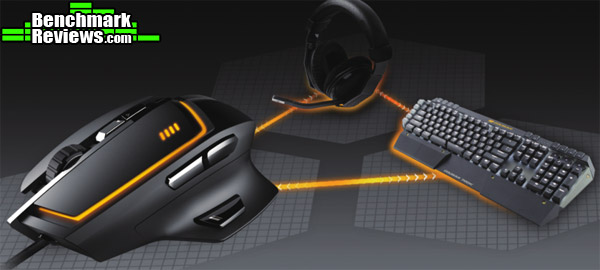
For those of you familiar with Cougar products, this is a unified driver where access to all Cougar peripherals may be seamlessly configured as well as profiles synchronized. Once preferences is setup in the onboard memory, access to the driver panel to change the majority of the settings is not even needed.
First impressions of the 600M are favorable with no serious red flags. On the surface it appears that Cougar has done an exemplary job of keeping the drivers streamlined and very simple to use, taming everything down to 3 basic panels no less. Let’s see how it performs!
Testing Methodology
The Cougar 600M was tested over a period exceeding 60 hours on a cotton-polyester weaved rubber-backed mouse pad. The main programs and games tested consisted of Adobe Photoshop and Defiance. These two were chosen specifically to test out the sniper button and angle-snap features.
Test System
- Processor: Intel Core i7-4790K
- Motherboard: Gigabyte GA-Z97X-UD5H
- System Memory: CORSAIR 16GB 1866Mhz
- Video: Gigabyte GTX 970 G1
- Audio: HT | Omega Claro Plus+
- Monitor: LG 27″ IPS 2560 x 1440
- Operating System: Windows 7 64 bit
Results
The Cougar 600M has the ability to change polling rates per the three profiles to 125, 250, 500, and 1000Hz. The maximum polling rate of 1000Hz was used for all tests. According to two separate polling tools, Direct Input Mouse Rate (for DirectX) and Mouse Rate Checker, the Cougar 600M exceeded the peak advertised polling rate.

Desktop Applications: Using a native resolution of 2560 x 1440 the DPI setting mostly used was 3800 for all basic desktop operations with the sniper button set at 1800. Oddly enough, even though it’s older and more expensive sibling, the Cougar 700M, shares the same laser sensor (ADNS-9800), the 600M appears to feel more sensitive to the point of approximately 200 DPI difference. This can be considered a plus for the product. The high end laser provided a jitter free experience and the “angle snapping” feature actually worked (so it doesn’t matter if you hold the mouse at an angle, it still tracks properly on the X and Y axis). The sniper button was a delight to use in Photoshop: the instant drop in sensitivity made airbrushing and fine detail work so easy it was enjoyable once again.
Gaming: Thanks to the Omron micro-switches on the main mouse buttons, mouse wheel, and sniper button, there is a distinct tactile feedback. Precision scroll wheel rotation was quite noticeable when selecting weapons in Defiance, with zero issues of over or under correction in selections. Defiance is a great game to test sniping sensitivity, due to the range of many types of sniper rifles with adjustable scopes. With the sniper button set to drop a whopping 2000 DPI instantaneously, actual aiming and tracking in the game became epic: Instead of the aim bouncing all over (due to breathing and heartbeat), everything became solid as a rock and smooth. Overall an excellent tool for the job mirroring the performance of the more expensive Cougar 700M.
What Cougar did was take the 700M mouse, strip it down to basic functionality (removing the weights and an extra button), and replaced the metal form-factored body with an all plastic shell. These are smart moves to make an already well-designed product more available to the budget conscious. Although this reviewer prefers a heavier, fully weighted mouse, the Cougar 600M prevented hand fatigue in the long run due to its light body. A serious factor to consider for longer sessions.

The Cougar 600M provides extraordinary performance by utilizing the latest laser sensor. Granted that many mice use the same sensor, but Cougar goes the extra mile in their drivers by tweaking the angle snapping option, creating a much more viable feature to use. In direct contrast to the beefier sibling, the 700M, it appears the 600M is even slightly more sensitive (about 200 DPI more in this case).
Aesthetically the 600M takes a bold and daring approach taking full advantage of the Cougar Orange color, including the highly visible DPI light indicators. All the lines are smooth with the buttons almost flush with the body. The construction is robust and solid as far as synthetic materials allow. A special nod goes toward the massive mouse feet that encircles most of the 600M’s bottom. The braided mouse cord is also very tough and is not easy to kink.
Functionality wise, the addition of the sniper button (mounted at a comfortable 45 degree angle) adds a serious weapon to your gaming arsenal. Coupled with the streamlined drivers (no fluff here), the 600M ranks very well. The only reason that this category doesn’t score higher is because of the “base” 8-button design for a “gaming mouse.” This is acceptable, but just one more button can make a large difference.
As of January (2014), the Cougar 600M can be found online for $57.99 (Amazon | Newegg). Despite this being a fare price point for this caliber of mouse, the value category is slightly diminished due to the following: the hardy Cougar 700M is now only $10 more. The trade-offs are mostly cosmetic with the exception of an extra button and weight.
Pro’s:
+ Excellent ergonomics preventing fatigue.
+ Soft-touch body coating aids in keeping palm dry.
+ Omron micro-switches for full tactile feedback and longevity.
+ Over sized mouse wheel using a sophisticated encoder.
+ Attractive profiling light and overall appearance (also available in black).
Con’s:
– Price point would be more attractive if dropped $10.
(The larger price gap would make more sense for choosing between the Cougar 600M and the 700M).
Ratings:
- Performance: 9.50
- Appearance: 8.75
- Construction: 8.50
- Functionality: 8.50
- Value: 7.25


