By Olin Coles
Manufacturer: Shenzhen Azw Technology Co., Ltd.
Product Name: Beelink GTQ Android TV BOX
Model Number: 143107401 (US) or 143107402 (EU)
Price As Tested: $76.99 (GearBest | ShopBot)
Full Disclosure: The product sample used in this article has been provided by GearBest.
Media players are no longer those bulky HTPC systems taking up as much space as a desktop computer. They’re also a far cry from the set-top DVR boxes that used to be so popular. These days they’re better known as Media Centers, because they play and record media while functioning as an Internet-connected device. Based on Google’s Android 5.1 (Lollipop) operating system, the Beelink GTQ Media Center in a culmination of technology into a small tidy metal package.
In this article for Benchmark Reviews, we test the Beelink GTQ Android TV BOX Media Center. Promoted as a 4K-ready media player with quad-core Amlogic S812 CPU and eight-core ARM Mali-450 GPU utilizing the new H.265 decoder ideal for 4K Ultra HD picture quality, the Beelink GTQ fills its compact metal shell with powerful hardware comparable to most laptop computers. While a 1000-Mb Gigabit Ethernet port is available, the Beelink GTQ also takes advantage of 2.4GHz and 5.8GHz wireless b/g/n networks.
Previous favorites have included the WD TV Live, and more recently the 2015 Roku 2 (4210R). We also looked at the Android-based Pivos XIOS XS Media Center not so long ago. For this review, we compare the Beelink GTQ Android TV BOX Media Center to these media players, and share our experiences.

Features and Specifications provided courtesy GearBest.com
- Metal shell material design.
- KODI pre-installed: Over 50 most popular Add-ons installed in your KODI.
- XBMC supported. XBMC can be used to play almost all popular audio and video formats.
- Android 5.1: Rapid and stable, gives you access to over 800,000 apps including Facebook, YouTube, Picasa and more.
- Professional 2.4G + 5.8G WiFi, offering a more stable WiFi signal to enjoy a higher quality video experience.
- Gigabit 1000M Ethernet.
- 2GB RAM + 8GB eMMC ROM, 32GB maximum extended capacity gives you more space to download your favorite apps and caches to browse websites, play games, run apps, watch movies more smoothly.
- Bluetooth 4.0 connectivity: Easy pairing with most Bluetooth-enabled devices (computer, mobile phone, keyboard, and others).
- HDMI 1.4 connector: You can go directly to let your TV and MXV are connected through a HDMI cable and set up your home cinema for the best 1080P HD multimedia experience.
- USB host ports: Connect with your mouse and keyboard to help you operate more convenient.
- Infrared remote control let you enjoy your wonderful life which the wireless brings to you.
| General | Brand: Beelink Type: TV Box Model: GTQ Color: Black or Silver System: Android 5.1 GPU: Mali-450 CPU: Amlogic S812 Core: Cortex A9, Quad Core, 2.0GHz RAM: 2GB DDR3 ROM: 8GB eMMC Max. Extended Capacity: 32GB |
|---|---|
| Media Supported | Decoder Format: H.265, H.264 Video Format: RMVB, 4K x 2K, MKV, MOV, WMV, RM, AVI Audio Format: OGG, FLAC, MP3, WMA, AAC Photo Format: JPG, JPEG, BMP, GIF, PNG |
| Specification | Support XBMC: Yes WiFi: IEEE 802.11 b/g/n Bluetooth: Bluetooth 4.0 Power Supply: Charge Adapter Interface: HDMI, AV, LAN, SPDIF, Micro SD Card Slot Certificate: CE, RoHS |
| Dimension and Weight | Product Weight: 0.260 kg Package Weight: 0.740 kg Product Size (L x W x H): 12.5 x 12.5 x 2.2 cm / 4.91 x 4.91 x 0.86 inches Package Size (L x W x H): 16.3 x 14.7 x 7.8 cm / 6.41 x 5.78 x 3.07 inches |
| Package Contents | Package Contents: 1 x Beelink GTQ TV Box, 1 x Power Adapter, 1 x Adapter, 1 x HDMI Cable, 1 x USB Cable, 1 x Remote Controller, 1 x English Manual |
The Beelink GTQ Android TV BOX Media Center sells online for $76.99 (GearBest | ShopBot), which places its price directly between the WD TV Live ($79.99) and 2015 Roku 2 ($69.99). The Beelink GTQ includes the media player, remote control, power adapter (with EU/US adapter), HDMI and USB 2.0 cables, and a user guide. Beelink GTQ measures 4.91 x 4.91 x 0.86 inches, and weighs a mere 9.17 oz.
At the front of the Beelink GTQ media player is a small round translucent plastic window, which houses the infrared sensor for the remote control. Positioning the device with a direct line of sight with the remote will yield the best control response. As with every other media player we’ve seen, Beelink GTQ is not designed with built-in playback control buttons, so all functions of the device are controlled by the remote. The one exception is the power button at the top of the chassis, which must be pressed to initialize the system. Once powered on, the media player can be shut down or placed into standby to be later resumed through the remote.

Along the right side of the media player is a MicroSD memory card slot (microSD card not included), used as an alternate installation destination for apps or for storing multimedia files. An USB On-The-Go (OTG) port is available to make use of Android’s ability to sync with other Android-based devices for media playback. Two Hi-Speed USB 2.0 ports are also available for connecting external storage or peripheral control devices to the media player.

Beelink GTQ features built-in support for 802.11-b/g/n wireless networks, and utilizes a 6 db external antenna to receive optimal Wi-Fi reception. The antenna rotates out and upward 90°, so you can tune the location to existing router beamforming designs. While not evident, the Beelink GTQ also communicates with Bluetooth 4.0 devices, such as specialized multimedia controllers, smartphones, speaker systems, and other capable devices.
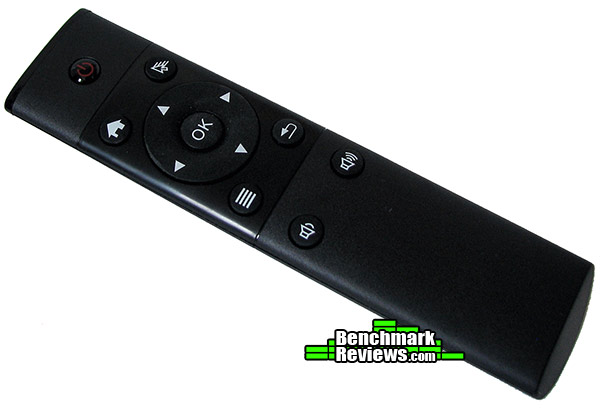
A lightweight infrared remote control is included with Beelink GTQ Media Center. Designed to accommodate Google Android operating systems, all of the same options offered to an Android-based smartphone are offered on the remote (excluding the touch screen). The remote control requires two AAA batteries, which are not included.
At the back of Beelink GTQ you’ll find the majority of interface connecting points. A 5V/2A AC power adapter receptacle shares space with an analog A/V plug output. Nearby is a RJ-45 10/100/1000 Gigabit Ethernet port for a cabled network connection. Digital audio/video is output by the units HDMI 1.4 port, while an optical SPDIF digital audio port supports high-definition surround sound output (TosLink cable not included).

In the next section, we take a closer look at what the Beelink GTQ Android TV BOX Media Center offers and how it compares with some of the competition…
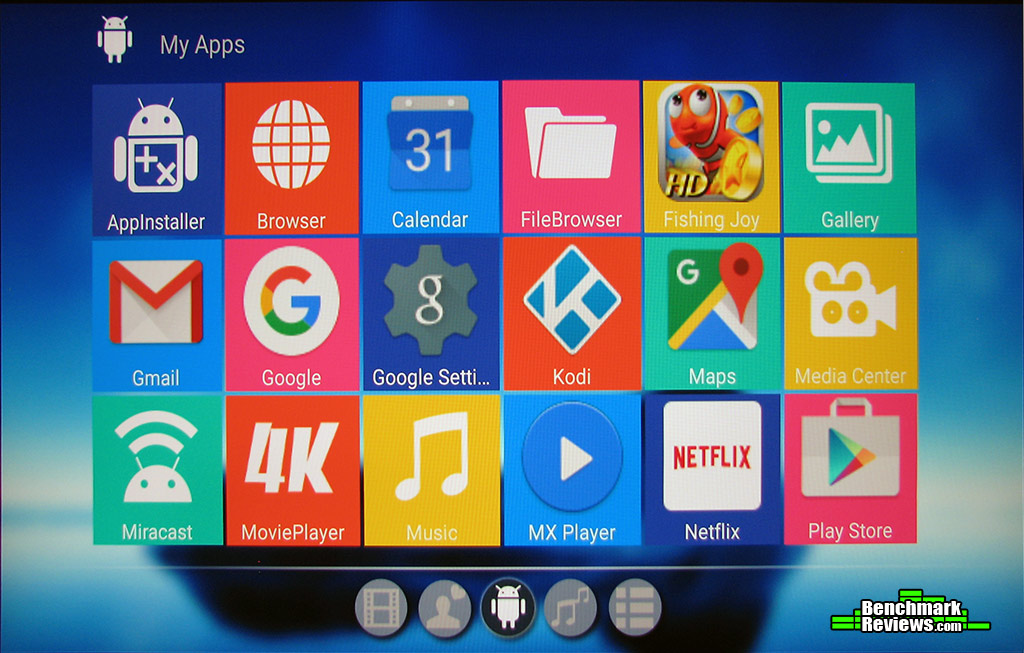
Unlike media players such as WD TV Live and Roku which incorporate proprietary operating systems, the Beelink GTQ builds off the popular Google Android 5.1.1 (Lollipop) open-source OS. As illustrated by the images below, Beelink GTQ uses Android to deliver a colorful desktop with a vibrant display of apps tiled along the lower tray.
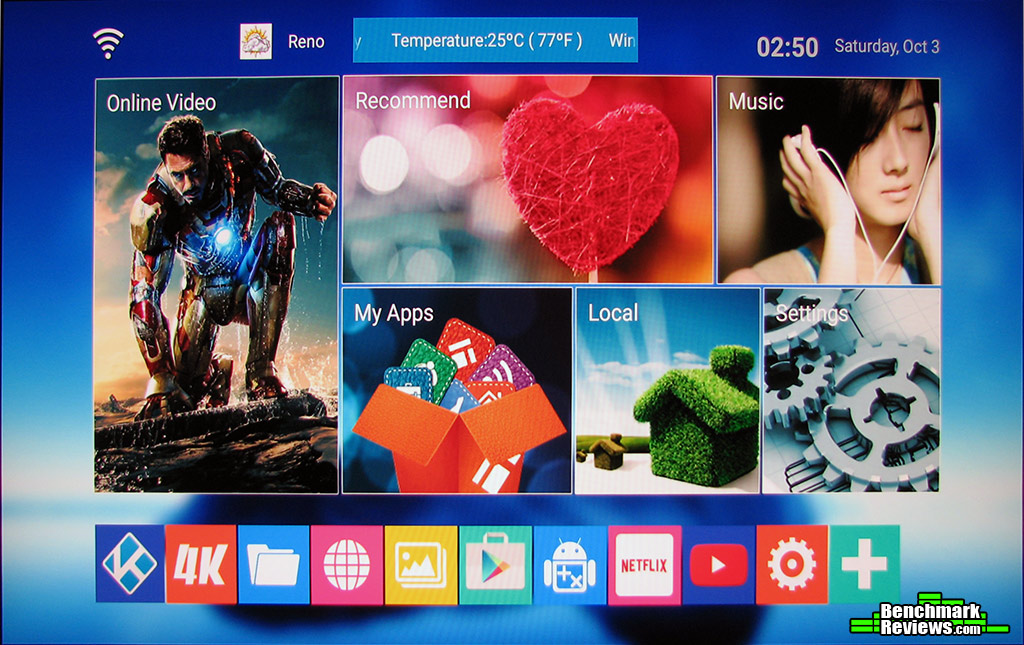
Beelink GTQ comes equipped with several key apps from the factory, but by using Android as the foundation there are thousands of free and paid applications on the Google Play Store for installation on the media player, either on the integrated 8GB eMMC storage ROM or optional Micro SD memory card. GTQ utilizes Google Android TV (formerly Google TV) and Kodi 15 “Isengard” (formerly XBMC) to deliver a dedicated media player experience.
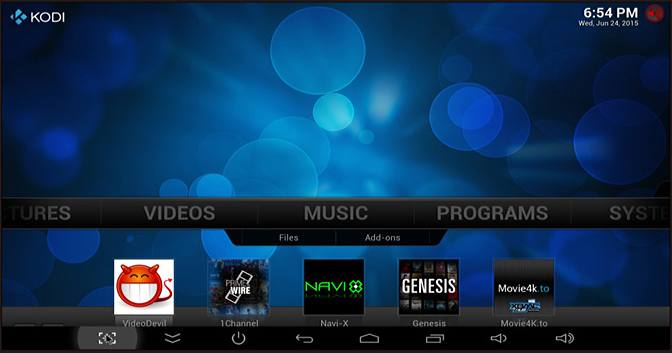
Beelink GTQ includes (or has access to) some of the most popular streaming and playback software, but like most Google Play Store apps they’re typically designed for Android smartphones equipped with a touchscreen interface. GTQ comes with an infrared remote control that includes all the same buttons you’d find on an Android phone, but a directional pad and pointer require some experimenting with some apps. It’s not impossible, but certainly noticeable.
Inside each Beelink GTQ Media Center is a high-performance 600MHz quad-core Amlogic S812 CPU. This SoC includes an ARM Mali-450 MP6 graphics processor built with 6 Pixel Processors plus 2 Geometry Processors, and hardware support for HEVC/H.265 decoding of 4K Ultra HD (2160p) content.
While 4K media playback is one of the core selling points for the Bellink GTQ, there are some caveats worth mentioning. GTQ utilizes HDMI 1.4 output, which can transmit 4K video at up to 30 FPS. This is adequate for most video, however fast-moving screen objects would benefit from a higher frame rate. HDMI 2.0, which is already available on other media players, would have allowed 4K to playback at up to 60 FPS.
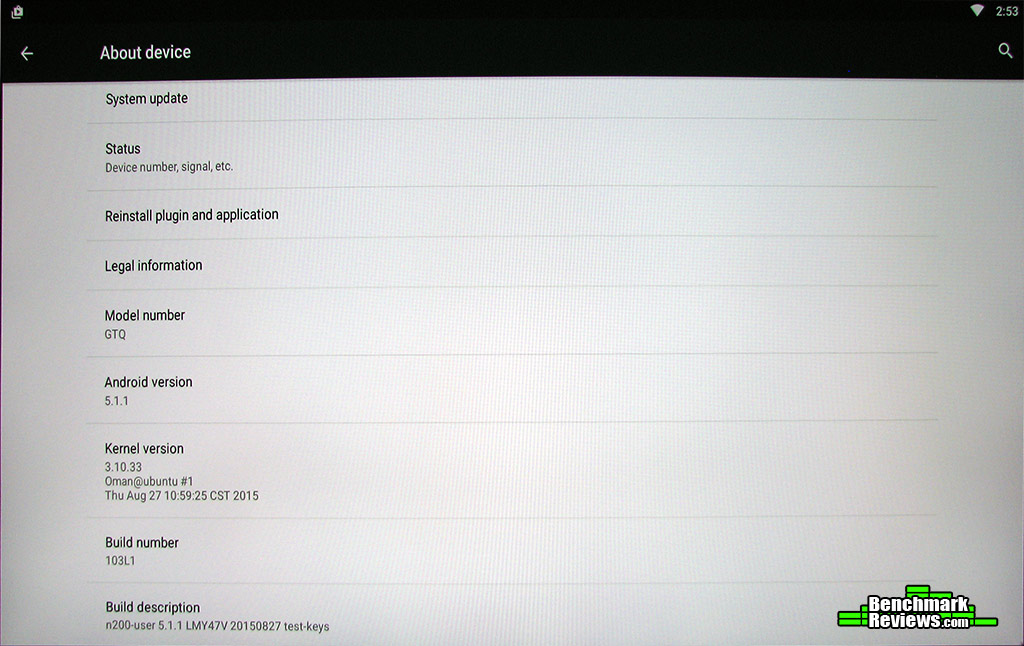
Adding to limitations on playback bandwidth is the use of IEEE 802.11a/b/g/n technology, which yields maximum transfer speeds to 40 Mb/s. The current standard is IEEE 802.11ac, which is also available on other devices and would have raised transmission rates up to 120 Mb/s for high-performance broadband users streaming 4K content.
Other aspects of the Beelink GTQ Android TV BOX Media Center need a bit more polish, such as a few menu interfaces with poor English translations. While it’s still quite easy to understand the implied meaning, it reduces the professional appearance of this otherwise quite impressive media player. Fortunately these are few in number.
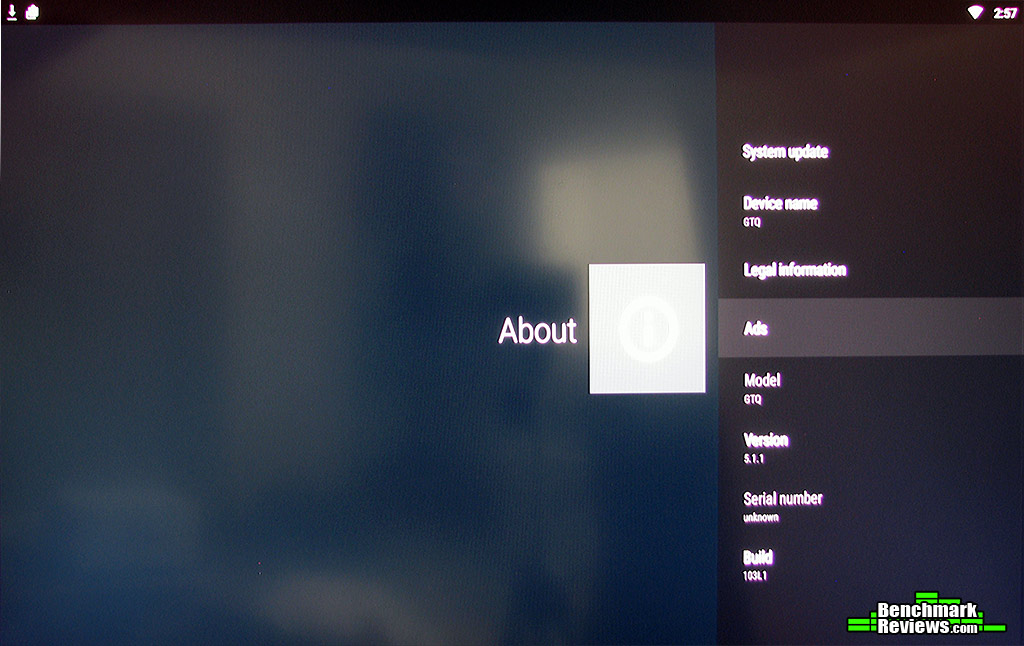
Overall, the Beelink GTQ offers a very customizable platform for multimedia enthusiasts. Android ‘Lollipop’ is the most current version of Google’s OS, so expect to get plenty of product life our of this media player. Having Bluetooth 4.0 connectivity means you can easy pair this device to any other Bluetooth enabled hardware… which is a long list.
In the next section I offer my conclusion and give a final rating to the Beelink GTQ media player…
IMPORTANT: Although the rating and final score mentioned in this conclusion are made to be as objective as possible, please be advised that every author perceives these factors differently at various points in time. While we each do our best to ensure that all aspects of the product are considered, there are often times unforeseen market conditions and manufacturer changes which occur after publication that could render our rating obsolete. Please do not base any purchase solely on our conclusion, as it represents our product rating specifically for the product tested which may differ from future versions. Benchmark Reviews begins our conclusion with a short summary for each of the areas that we rate.
Our first rating category focuses on performance, and the Beelink GTQ Android TV BOX Media Center earns high marks. It’s true that HDMI 2.0 would enable 60-FPS 4K playback, but as it stands most people won’t notice any perceivable difference from the 30-FPS possible with HDMI 1.4. Similarly, wireless-n transfer rates may be limited to 40 Mb/s, but most people have 30 Mb/s broadband Internet or slower. Essentially, these two items only concern those with access to high-bandwidth content – something that is especially rare at this point in the evolution.
Beelink designed the GTQ with function preceding fashion, which is why the all-metal enclosure receives a muted flat black or silver finish. For anyone who has handled a glossy piano black finish, GTQ will not show dust and fingerprints. There are no lights to disturb you, as the only LED on the device is below the power button.
Durability was the theme Beelink followed when constructing the GTQ. The metal chassis could easily outlast the electronics inside of it, although the protective circuitry caused the device to immediately restart after static shocks. The plastic external antenna transmits both 2.4GHz and 5.8GHz wireless-b/g/n bands, and is easily positioned for beam-forming. Your biggest risk is losing (or breaking) the remote, which is made of lightweight plastic.
Where the Beelink GTQ does shine brightest is in its playback of high- and ultra-HD content. H.265 decoding is up to 50% more efficient than H.264, and 2GB DDR3 paired to a 600MHz quad-core Amlogic S812 CPU flexes Mali-450 MP6 GPU muscle. Further, Kodi and Android TV both perform exceptionally well with multimedia fetched from the ultra-fast 8GB eMMC ROM storage. Every media CODEC tested played flawlessly, and Netflix streaming quickly buffered into highest quality. Beelink’s GTQ is certainly ready for 2160p content to become mainstream.
As of October 2015, the Beelink GTQ Android TV BOX Media Center sells online for $76.99 (GearBest | ShopBot), which places its price directly between the WD TV Live ($79.99) and 2015 Roku 2 ($69.99). Considering the processing power and flexible features, this is a very good value compared to the other locked-down players.
In conclusion, the Beelink GTQ is an excellent choice for ultra-HD multimedia enthusiasts interested in customizing their experience with apps from the Google Play Store. Users wanting a more simplified experience would be better suited with a basic playback device, but those willing to take the time will be rewarded by GTQ’s flexibility. The Beelink GTQ Media Player earns our Benchmark Reviews Silver Tachometer Award for quality recognition.
+ Google Android 5.1 ‘Lollipop’ OS
+ Amlogic S812/Mali-450 Processors
+ Super-fast 8GB eMMC ROM storage
+ Easily play multimedia from Android devices
+ Bluetooth 4.0 connectivity!
+ Decodes practically all formats
+ Kodi and Android TV add customizations
+ TosLink optical digital audio output
– Limited remote control functionality
– Requires initial push-button power on
– HDMI 1.4 limited to 30-FPS 4K playback
– Lacks IEEE 802.11ac Wi-Fi bandwidth
– Drops frames on some 4K playback
-
Performance: 9.00
-
Appearance: 8.50
-
Construction: 9.50
-
Functionality: 8.75
-
Value: 8.50
COMMENT QUESTION: What media player do you prefer for playback?

3 thoughts on “Beelink GTQ 4K Android TV Box Review”
Apologies in advance: I had to rewrite three pages of this review for reasons I cannot explain, and I still think my first version was better. 🙁
I use my WD TV Live primarily for playing media-files stored on my local NAS.
Is the Beellink-device capable of doing that?
Yes, the Beelink GTQ plays back everything that the WD TV Live does, and does so with better framerate performance. It also adds 4K playback using H.265, which is far more efficient than the H.264 decoder used on TV Live.
Comments are closed.