By Meng Vang
Manufacturer: Lian Li Co. Ltd
Product Name: PC-M25A
Model Number: PC-M25 A/ B
UPC: 840353007710
Price As Tested: $179.99 (Newegg)Full Disclosure: The product sample used in this article has been provided by Lian Li.
The Lian Li PC-M25A comes in a small form factor design with support for micro-ATX and mini-ITX motherboards. It is a server case as it has the ability to support up to seven 3.5″ HDDs; five of which are hot-swappable. Graphics cards as long as 410mm can be installed for GPU intensive applications. With a powerful graphics card, there is also room to install a standard ATX power supply. The body of the case is built from aluminum, which promotes durability and gives the case a clean look all around. Benchmark Reviews will take a look at the Lian Li PC-M25A, so let’s jump into a quick overview of this product.
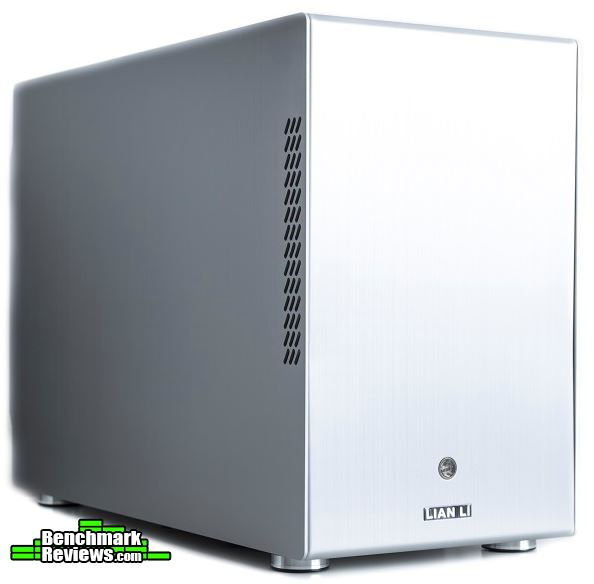
| Model | PC-M25 A/ B |
| Case Type | Mini Tower Chassis |
| Dimensions | (W)199mm (H)322mm (D)441mm |
| Color | Silver Black |
| Front bezel Material | Aluminum |
| Side Panel | Aluminum |
| Body Material | Aluminum |
| Net Weight | 3.74kg |
| 5.25″ drive bay (External) | None |
| 3.5″ drive bay (External) | None |
| HDD bay | HDD rack: 3.5″ HDD x5(Hot-swap) HDD tray: 2.5″ HDD x3 or 3.5″ HDD x2 |
| Expansion Slot | 4 |
| M/B Type | Micro-ATX Mini-ITX |
| System Fan (Front) | 140mm Fan x1 |
| System Fan (Top) | 120mm Fan x1 |
| I/O Ports | None |
| Maximum Compatibility | VGA Card length: 410mm PSU length: 230mm CPU cooler height: 80mm |
| PSU Type | ATX PSU (Optional) |
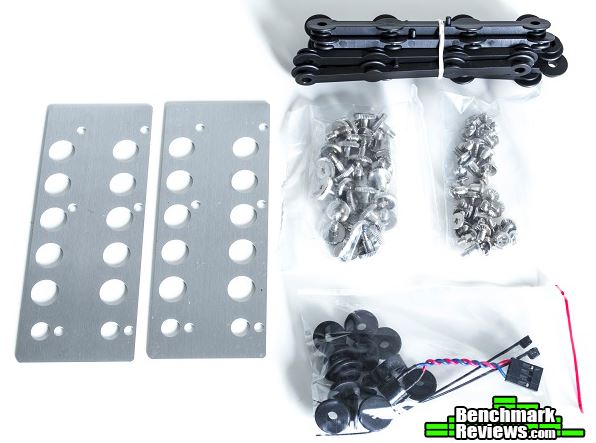
The Lian Li PC-M25A comes with plenty of accessories. Inside the box, there are two brackets for installing up to two 3.5″ HDDs. 10 anti-vibration strips for 3.5″ HDDs, two female side panel clips, two cable ties, and 12 anti-vibration HDD and SSD rings are also included. In terms of screws, there are 17 HDD and PSU mounting screws, eight motherboard screws, 28 additional 3.5″ HDD screws, and 12 M3 x 9.5mm screws for 2.5″ HDDs. A motherboard speaker is also included should you need that.
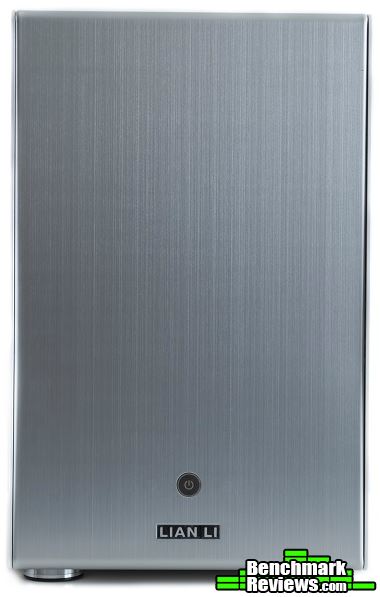
The aluminum body of the PC-M25A gives the case a premium look and feel. There is nothing too special about the looks except for the beautiful brushed aluminum finish. Only the power button and the Lian Li branding logo are found at the front of the case.
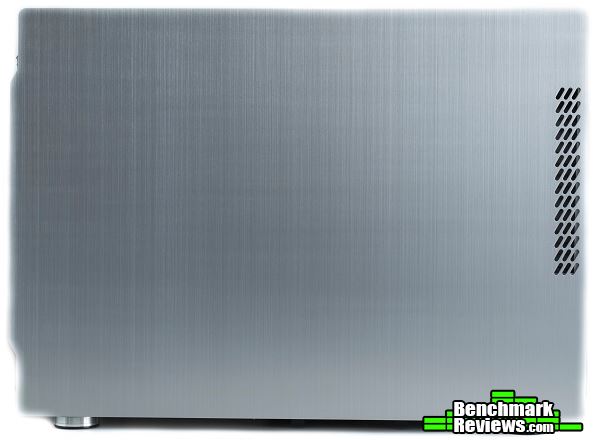
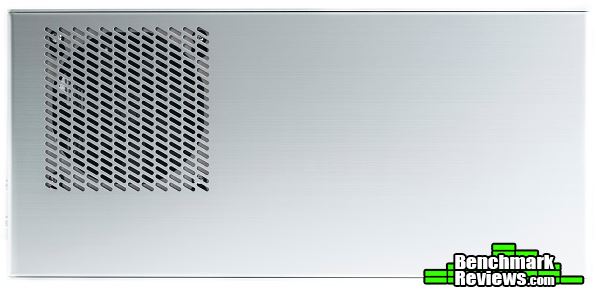
The left and right side panels are the same in terms of ventilation and appearance. No side panel window is present with the PC-M25A. There are a few ventilation gaps closer at the front of the case to allow some airflow to the front 140mm intake fan. Do note that both side panels are not interchangeable.
The PC-M25A can support a standard micro-ATX and mini-ITX motherboard. It accomplishes this by placing the power supply mount in the area where an exhaust fan would go. This reduces the height of the case overall, but only CPU coolers 80mm high can be installed.

The top of the case maintains the same brushed aluminum finish along with a 120mm exhaust fan towards the rear of the case. There is a dust filter over the fan to prevent dust from entering the system.
A dust filter is positioned underneath the case and it can be easily removed for cleaning. There are no fan mounts here to mount a fan.

In the next section, let’s go over some detailed features about the PC-M25A case.
The interior of the PC-M25A is very spacious with enough room for a micro-ATX motherboard and multiple HDDs. There is about 410mm of clearance space for long graphics cards as well. We can see the two pre-installed fans; a 140mm intake fan at the front and a 120mm exhaust fan at the top. A large CPU cutout is located on the motherboard tray, but no cable routing holes are present inside the case.

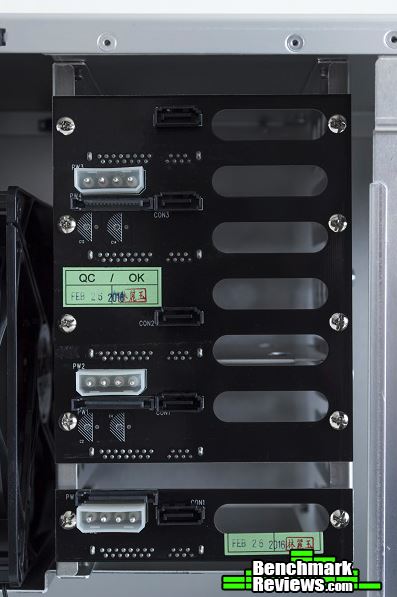
Here we can see the circuit board for the hot-swap drive cage. No cable tie down points are present behind the motherboard tray.

Only the power button is present when it comes to the front panel ports. USB ports, audio ports, a reset button, and an HDD LED indicator are all not present with the PC-M25A.

There is enough room for five 3.5″ hot swappable drives. A circuit board with SATA power and data ports are located at the other side of the HDD cage.

The SATA circuit board can be powered with three 4-pin molex connectors or three SATA power connectors. SATA cables can be connected from the motherboard to the five SATA ports shown here.
Let’s go over a few more details in the next section.
The HDD cage has a locking feature to prevent the storage devices from falling out of the cage. Here it is in its open state.

Loosening the thumbscrew will free the locking mechanism, allowing it to slide down. This locks the drive cage to prevent any storage device from falling out.

The HDD tray is located at the bottom of the PC-M25A case. The tray can support two 3.5″ HDDs or three 2.5″ SSDs.

HDDs mounted on the included HDD bracket can also be mounted on the HDD tray. This bracket can hold up to two 3.5″ HDDs.

In the next section, let’s go ahead and build a system with the PC-M25A.
A lot of us come here to Benchmark Reviews to read about high-end gaming gear. In a gaming case, we look for water cooling capabilities, multiple graphics card support, side panels with elegant windows, RGB illumination, etc. We sometimes forget about the people who are not looking for all the bling. These people look only for a product that has the essential functions to serve a specific purpose. We cannot judge this case based off of a gamers perspective since the PC-M25A is a server case. Let’s take a look at the results.
-
Motherboard: Gigabyte Z97N-WIFI
-
System Memory: 2x4GB 1600MHz DDR3
-
Processor: Intel Pentium G3258 @ 4.4GHz
-
Audio: Realtek ALC892
-
Video: Gigabyte R9 270X 2GB GDDR5 Windforce Edition
-
Disk Drive 1: Kingston SSDNow V300 120GB SSD
-
Enclosure: Lian Li PC-M25A
-
PSU: Insignia 520W ATX
-
Monitor: HP 23bw 23″ IPS display
-
Operating System: Windows 10 Pro 64-Bit
I did not have a lot of trouble building with the PC-M25A case. There was a lot of workroom and the Gigabyte R9 270X 2GB GDDR5 Windforce Edition graphics card fitted perfectly in the case. Cable management was not the best, but the cables could be tied together and tucked behind the HDD cage. A standard sized PSU fitted perfectly over the motherboard. Because of this, I had to install the Intel stock cooler over the Pentium G3258 CPU.

There was no room behind the motherboard tray for cables, so no cable cutouts were present. Because of this, I tucked most of the cables behind the HDD cage. Even with the cables behind the HDD cage, the side panel was able to close without much problem.

Three 4-pin molex or three SATA power connectors could power the five HDDs if installed. For the top SATA port, I recommend using a non-right angled SATA connector. The bottom four should have right angled connectors to prevent any damage to the cables when the side panel closes.

With the power supply installed, there was only 80mm of space for a CPU cooler. I installed the Intel stock cooler, which should be adequate enough for light use. I also had two sticks of Kingston HyperX Fury RAM installed. RAM modules with tall heat spreaders, like the Corsair Vengeance, should install without problems either. Most ECC memory modules come without heat spreaders. This guarantees compatibility, which is perfect for a server build with the PC-M25A.

The PC-M25A came with a pre-installed top 120mm exhaust fan. This fan sat only millimeters from the power supply. From the perspective of a gamer, this meant there was no support for a radiator with a fan.

The side panel did cause the computer to run hotter than normal. This was because there were no ventilation holes aside from the small ventilation towards the front of the side panel. The power supply was pulling in hot air from the graphics card, causing the fan to spin faster compared to a standard computer case. I could have installed the power supply so the fan was facing the CPU cooler. Doing that would have ended with similar results as the CPU fan and the PSU fan would have to fight each other for air. If the side panel had some ventilation holes over the PSU, this would had helped cool things down.
Installing a graphics card with a blower-style design would help keep the case temperature down. Since the Gigabyte R9 270X Windforce Edition graphics card had an open air design, the hot air from the graphics card dispersed directly back into the case and into the power supply. The power supply could fail sooner especially if the server was running 24/7 with the GPU at full utilization. Assuming the graphics card had a blower-style design, the hot air would disperse through the rear of the card and out of the case immediately without affecting the nearby components.

Let’s go into my final thoughts and end this review with my conclusion in the next section.
The Lian Li PC-M25A is an elegant aluminum case with lots of room for up to seven 3.5″ HDDs and three 2.5″ SSDs. This makes it suitable for tight areas thanks to its small ITX sized form factor. The case does support standard ATX power supplies and large graphics cards. I recommend using a graphics card with a blower-style fan for graphic intensive usage. This can prevent the power supply from failing, which is something a server must not have. The front excludes all the standard front I/O ports except the power button. I personally would have liked to see a few USB ports at least. But for what it is, it does make a nice server case with plenty of storage options all inside an elegant enclosure.

Airflow is not bad with the PC-M25A case. The pre-installed fans can be replaced and only CPU coolers up to 80mm in height can be installed. A blower-style fan design on a graphics card is recommended especially with GPU intensive applications. This can lower the internal temperature of the case without affecting the nearby components.
The case looks great with its brushed aluminum exterior thanks to the aluminum body. The front of the case is simple with just a brand logo and the power button. No side panel window or fancy LED lighting are present, making the PC-M25A a simple and elegant computer case to look at.
The aluminum body construction promotes durability to prevent any part of the case from bending. I found out that my copy of the PC-M25A had a slightly bent front panel out of the box. I was able to straighten it back without much problem. With the side panels attached, the case is sturdy and does not flex with light to medium force.
When it comes to functionality, the PC-M25A does well in this category. There is enough space for plenty of storage devices and large graphics cards. Even though it is a server case, some USB ports at the front panel would have been nice to see. The exclusion of the front audio ports is a good choice in my opinion.
As of September 2016, the Lian Li PC-M25A is available online for $179.99 (Newegg). This is a pretty hefty price knowing there are other computer cases on the market that can serve the same purpose. The aluminum build quality and the option to install up to seven HDDs is a plus. There is enough interior room for large graphics cards up to 410mm in length as well. This makes the case capable of becoming a gaming PC, just that there is no water cooling support. If you are in the market for an elegant server case, the Lian Li PC-M25A may be what you are looking for.
+ Great build quality
+ Small form factor design
+ Elegant and simple exterior
+ Ability to install up to seven HDDs
+ Hot swappable drive cage for five 3.5″ HDDs
+ Support for standard ATX power supplies and large graphics cards
– Expensive to most users
– No USB ports at the front
– Internal temperature may be warmer with open-design graphics card cooler
-
Performance: 8.50
-
Appearance: 9.25
-
Construction: 9.00
-
Functionality: 9.00
-
Value: 8.50


One thought on “Lian Li PC-M25A Micro-ATX Case Review”
Great looking case that seems to be missing some essentials like external ports on the front.
Also it seems the PSU placement was an afterthought, and could have been better positioned.
Overall this is better suited as a home network storage device than a P.C.
Comments are closed.