By David Ramsey
Manufacturer: Zyxel Communications Corp.
Product Name: Multy X WSQ50TWIN AC3000 Home Wi-Fi Mesh System
Model Number: WSQ50KIT
UPC: 760559125301
Price As Tested: $293.96 (Amazon | Newegg)Full Disclosure: Zyxel Communications Corp. provided the product sample used in this article.
Zyxel Communications Corp. has sent Benchmark Reviews a sample of their new “Multy X AC3000 Tri-Band WiFi System” for review. The name may be a mouthful, but this system purports to provide easy setup and consistent performance across large areas with a “mesh” system that connects multiple routers via a dedicated channel. With a quad-core Qualcomm CPU, 512MB of RAM, and 4GB of flash storage, the Multy X routers should be capable of all the performance a home user could need.
Home wifi systems provide internet access to the plethora of wireless devices you have, but can be complex to set up and performance can suffer due to distance to the wifi router or obstructions such as walls between the router and the device. Most people put up with the middling performance of the routers supplied by their service provider, and have no easy way to adjust settings or measure performance.

Mesh wifi systems should offer significant performance advantages over ordinary “wifi extenders”, which typically reduce your throughput by 50% at each “hop”.
- Easy setup with iOS or Android application
- Dedicated backhaul channel for inter-router communication
- Mesh topology
- Automatic updates
- Three gigabit Ethernet ports on each router
- Quad-core Qualcomm IPQ4019 CPU, 512MB RAM
- 9 internal antennas
Let’s take a look at this device in the next section.
Like any wireless router, your first Zyxel Multy will need to be connected to your residential gateway/cable modem/whatever with an Ethernet cable. Once the Multy is plugged in, you can start the application on your phone. Once the application finds the Multy, you’ll configure your IP setup. Most people would simply click “Next” at this point, since the default is a standard DHCP (dynamic address) setup that most home systems will use. However, if you’re a geek like me with a static IP block, don’t worry: Zyxel’s got you covered.

After IP configuration, the Multy checks your Internet connection.

After the Multy has verified that it has a good connection to the Interwebz, you’ll be prompted to create your WiFi network.

Creating the network is a simple matter: just give it a name– you can give the 2.4gHz and 5gHz networks different names if you wish, which is handy if you have some older devices that only support 2.4gHz.
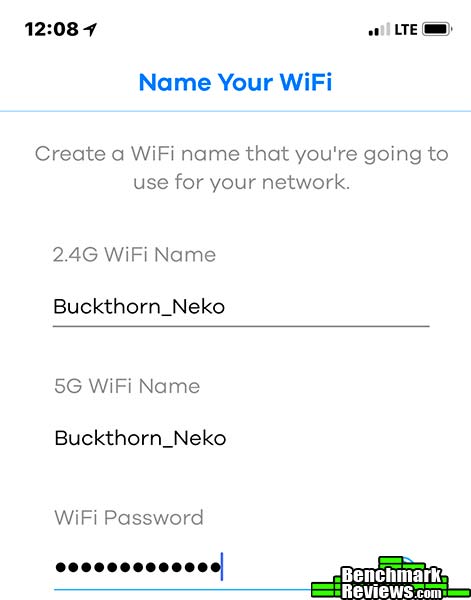
And you’re done! I have to admit this was a pretty simple setup: users who don’t have to worry about static IPs– i.e. almost everyone– would have only had to enter a name for the primary Multy and a name for the network. Everything else is handled automatically.
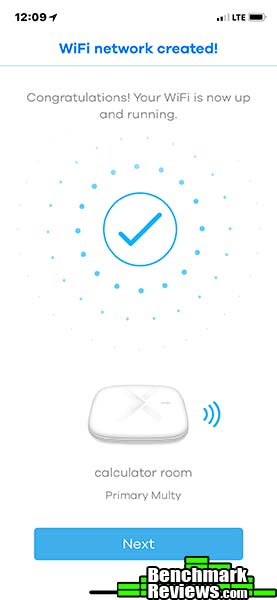
Adding a second Multy router to extend your network is trivial.

Just make sure the new router is within 10-15 meters of the first router…
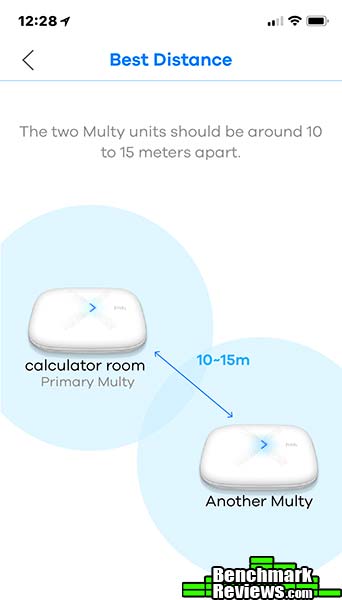
And that’s it!
Now that the network is configured, let’s look at some of the control you’ll have over it.
Once you create your network, the Multy application offers such niceties as easy performance checking. This handy “Diagnose” screen shows the internet connection performance for each router– the primary router in the calculator room and the extension in the kitchen– as well as the inter-router speeds. Under better circumstances (somewhat closer and without a lot of walls and floors in between them) the two routers would be communicating faster than the 394Mbps/440Mbps shown here. However, since that’s way faster than my 100Mbps Internet service, this isn’t a concern unless you regularly move large files between devices on the network. Zyxel says that maximum inter-router speed can be more than three times this fast.

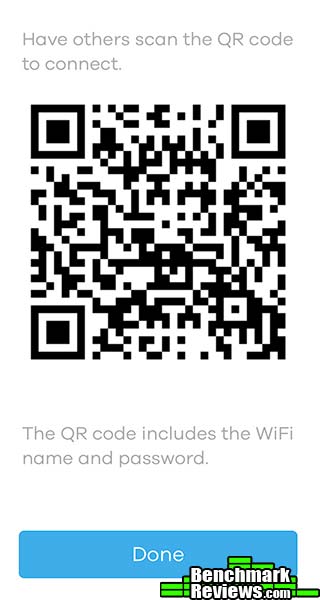
The Multy’s access control is simple: you have your regular network, and, as with many other routers, you can configure a separate guest network with a separate password. This being 2018, it would be déclassé to require your friends to type in your long, strong network password that looks as if it was typed by a cat dancing on the keyboard…so you can just have them scan a QR code for automatic connection.
Parents will appreciate that they can easily see every connected device on the network, even if not all of them have meaningful names…

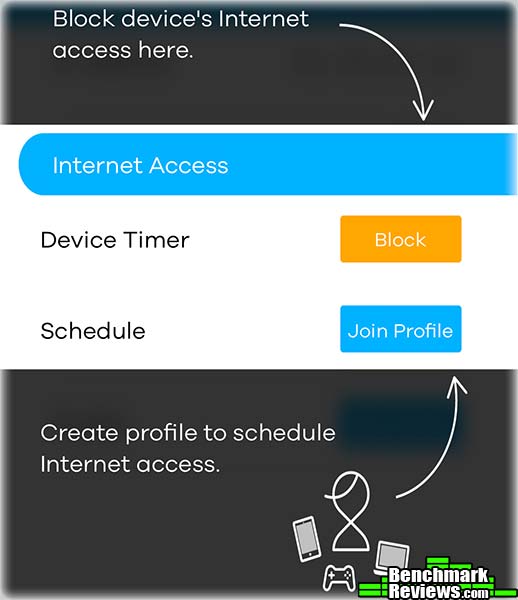
…but the real parental win is the ability to exercise fine-grained control over the times any specific device is allowed to access the network. You have three ways to do this. First, you can simply set a timer that will disable Internet access when it expires:
Second, you can select a device and manually block out times it’s allowed online:
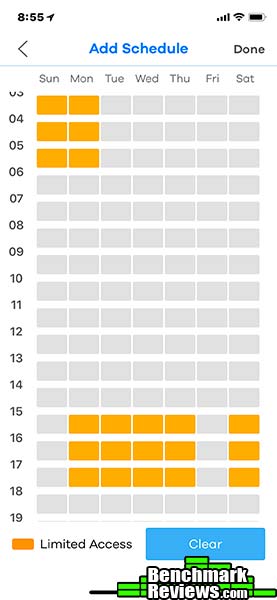
And third, you can create a named profile, and select the times devices in that profile are allowed online using the same “blocks of time” interface shown above. Adding a device to the profile automatically applies these restrictions to that device’s internet access.

Zyxel offers some other features, such as automatic notification of firmware updates and when a new device connects to the network, but in order to enable these capabilities, you’ll need to create a (free) account on Zyxel’s cloud service.
Join me in the next section for my final thoughts and conclusion.
Until now I’ve relied on old-school routers, supplemented with extenders as needed. I’ve never liked the fact that traditional extenders take such a huge bite out of your bandwidth, but accepted that it was unavoidable since the router to extender channel had to use the same WiFi bands that the data did.
My two-story, 4,700-square-foot house is WiFi hell, with my previous Netgear Nighthawk 8500 struggling to push its signal through multiple walls and floors. There were areas in which I could achieve only a fraction of the 100Mbps internet bandwidth I’m paying for.
The Zyxel Multy X, on the other hand, blankets every corner with 100Mbps+ service. Netflix in the garage? No problem! (OK, I don’t often watch Netflix in the garage. BUT NOW I CAN.) The dedicated backhaul channel means that none of my bandwidth is consumed in inter-router communication, so there’s no performance penalty regardless of which router I’m connecting to.
I don’t have to manually log into a router to check for firmware updates; Zyxel will notify me, as it will the first time a new device connects to my network…but remember that you must create a Zyxel account online to enable such notifications.
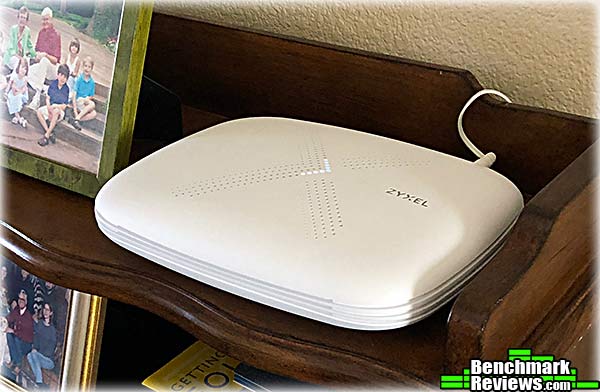
The Multy X adopts the “white lozenge” aesthetic that seems popular among consumer mesh routers these days. It might not be fun to look at but it does integrate nicely into any decor, certainly better than routers bristling with LEDs and antennas that look like props from a low-budget science fiction movie.
Functionally, the Multy drops some traditional features: there’s no WPS button for quick, no-password connections; you can’t control network access by MAC address, and there’s no Quality of Service (QoS) feature, to allow you to prioritize bandwidth among your connected devices (for example, your gaming system would have the highest priority, while your connected thermostat would have a lower priority). Oddly, Zyxel’s web site touts QoS as a feature on the specifications page for the Multy X, but it’s nowhere to be found in the app. And what’s with the unused USB port?
Port forwarding rules are available, though, in case you were worried about that.
My biggest concern is the Zyxel Multy X’s strongest point: the iOS/Android application. It’s well designed and very easy to use, and makes setting up a wireless network so simple that the hardest thing most people will have to do is choose a network name and password. This is much simpler than other routers that you configure via a web interface running on the router itself.
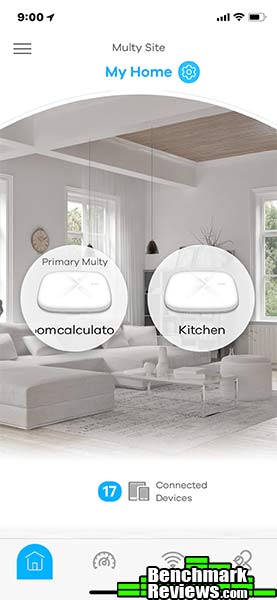
But the weakness in this approach is this: a router with an embedded server interface for its configuration will always work. The Multy app requires, first, that you have an Apple or Android phone. Granted, this isn’t too big a deal these days. But I’m more concerned about the long-term support: if you’ve had a smartphone for more than 5 years, you’ve probably experienced the pain of having a favorite application lose functionality or fail completely after an OS upgrade because the vendor is no longer in business or simply didn’t think it worth their time to update it. Zyxel has been in business for about 30 years, but when the Multy app breaks under iOS 18, will they think it’s worth their time to spend engineering dollars to update the app supporting a router they quit making 5 years ago?
The Multy X two-pack kit (WSQ50TWIN) that I reviewed sells online for $293.96 (Amazon | Newegg), which is more expensive than most single routers, and much more expensive than the free router your ISP is happy to equip you with. But the performance and ease of use make this a no-brainer for families with children, or larger houses that want seamless performance and complete control over their Internet experience.
+ Extremely easy to set up, even for network neophytes
+ Fine-grained per-device schedule control great for parents
+ Dedicated backhaul channel means inter-router communication doesn’t sap bandwidth
+ Three gigabit Ethernet ports
+ Excellent WiFi performance in a small, easy-to-place device
– No QoS
– USB port apparently not supported yet
– Long-term support of app?
-
Performance: 9.75
-
Appearance: 9.00
-
Construction: 9.50
-
Functionality: 9.00
-
Value: 9.00


