By Jason Vaught
Manufacturer: Cooler Master Ltd. Inc.
Product Name: MasterBox 5 Black Mid-Tower with Internal Configuration
Model Number: MCX-B5S1-KWNN-11
UPC: 884102028786 EAN: 4719512052679
Price As Tested: $69.99 (Amazon | Newegg)Full Disclosure: The product sample used in this article has been provided by Cooler Master.
The Cooler Master MasterBox 5 is the newest addition to the Master series of cases offered by Cooler Master. This budget friendly mid-tower case offers a straightforward design that features multiple interior layout options. Supporting both air and water cooling, as well as interior expansion options, the MasterBox 5 lets you decide the inside through multiple routing holes and conveniently placed cutouts.
The MasterBox 5 comes in two colors, White and Black. Benchmark Reviews will be testing the Black variant of this case.

| Materials | Steel body, plastic mesh bezel | |
| Dimensions (LxWxH) | 500mm x 200mm x 475mm | |
| Motherboard Support | E-ATX, ATX, Micro-ATX, Mini-ITX | |
| Expansion Slots | 7 | |
| Drive Bays | Combo 3.5″ / 2.5″ | 2 |
| SSD | 1 | |
| I/O Ports | USB 3.0 x 2, Audio in / out | |
| Pre-installed Fans | Front | 120mm x 1 |
| Rear | 120mm x 1 | |
| Fan Support | Front | 120mm / 140mm x 2 *with optional bracket, can support up to 3x120mm |
| Rear | 120mm x 1 | |
| Liquid Cooling Support | Front | 240mm / 280mm radiator, up to 50mm thickness without fan *with optional fan bracket, can support up to 360mm radiator |
| Rear | 120mm | |
| Clearances | CPU Cooler | 167mm / 6.5″ |
| PSU | 180mm / 7.1″ | |
| GPU | 410mm / 16.2″ (w/o 3.5″ HDD cage) | |
| Cable Routing Space | Behind motherboard tray | 25mm – 35mm |
The Cooler Master MasterBox 5 is marketed as a mid-tower computer case that features water cooling compatibility without sacrificing airflow. Airflow is achieved through the fan mounting options. With this case, you can have; 2/3* x 120mm or 2 x 140mm fans in the front and 1 x 120mm fan in the rear. All intakes are filtered, including the direct path cooling for the PSU.
*3 x 120mm front requires optional bracket (not included)
The front bezel of the MasterBox 5 features a MeshFlow front panel that is easily removable (without removing the side panels) and doesn’t require the entire front bezel to be removed, just to install fans. The front panel is also filtered and houses one of the two pre-installed 120mm fans that come equipped with the case. The front bezel also features two USB 3.0 ports, a headphone jack, a microphone jack, power button, and a reset button.

Cooler Master has included and assortment of case screws, radiator screws, zip ties, a fan adapter, warranty information, a brief manual, and a side panel lock.
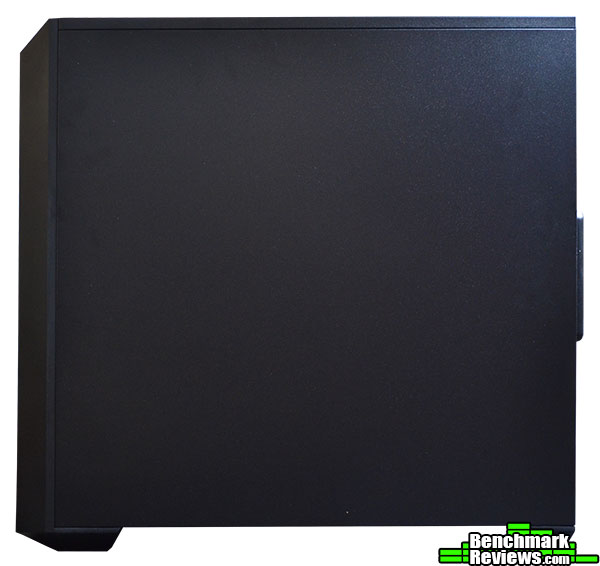
The left side of the case is just a plain steel panel. There’s not really much more to say about this side of the case.

The bottom of the case features large feet, an externally removable PSU filter, Tie down points, and additional mounting holes. You will also notice in the upper left of this picture, there are 3 slots, these three slots are for the 3 different positions you can mount the HDD/SSD cage along the bottom shelf of the case.

The rear of the case comes with vented PCI slot covers, a 120mm pre-installed fan, an optional vertical PCI slot (optional bracket would need to be purchased), and of course the I/O panel. You may also notice the odd looking PCI cover at the bottom of the PCI panels, this cover is Cooler Master’s “StormGuard”. The purpose of the StormGuard is for you to route your wired peripherals through the cover and reinstall it, this effectively locks your wired peripherals to the case, deterring theft while your away from you computer. The StormGuard would come in handy if you frequent lan parties or attend college and don’t want your wired peripherals walking away. Make sure to use the optional side panel lock if you worry about theft, as not doing so would merely slow down your would be thief rather than prevent them altogether. Finally, you’ll notice two vertical slots next to the vertical PCI slot, this is a mounting point for Cooler Master’s video card support bracket.

With the windowed side panel removed, you see a blacked out interior, featuring 6 routing holes, a PSU shroud, a large CPU cutout, and a plethora of slots for various accessory mounting options/locations. You’ll also notice the pre-installed SSD mounting plate (upper right hand corner). Sadly, the MasterBox 5 only comes with 1 SSD mounting plate, but you could always mount SSDs in the HDD cage and on top of the HDD cage.
Cooler Master built this case with flexibility in mind, while maintaining budget friendliness. Modularity is the key to this case’s versatility.

With the MeshFlow front panel removed, you’ll reveal the pre-installed 120mm fan, as well as the bracket to install more fans. The MasterBox 5 supports up to 2 x 140mm fans in the front or 2/3* x 120mm fans.
*3 x 120mm fans require optional bracket (not included)

The PSU shroud, is easily removed via 1 thumb screw at the back of the case, to reveal what you see above. The shroud is purely for aesthetics and comes down to user preference. You may also notice two square cutouts along the top side of the motherboard just above the CPU cutout. These cutouts help you easily route your CPU power cable around the motherboard tray.

The side window of this case is plastic and is held in place utilizing bent metal tabs. While this could indicate that Cooler Master plans to offer different windows down the road, it unfortunately results in a loose fitting window that rattles very easily. My recommendation for this problem would be to install some rubber u-channel around the window to tighten up the fit to the side panel. If Cooler Master does plan to offer different windows down the line, I wouldn’t recommend changing them too often as the metal for the tabs is thin and would eventually snap. These tabs can be bent in place easily by hand.

Toward the front inside of the case, you’ll see the fan/radiator mounting bracket behind the front bezel. Keep in mind, that HDD cage is re-positional and will accommodate radiators up to 50mm thick (without fan) or as thick as you want if you remove the HDD cage altogether, but you would lose all support of 3.5″ HDDs. The front fan/radiator bracket can accommodate up to a 360mm length radiator if you purchase an additional bracket. It is also worth noting that Cooler Master offers different front panel inserts to allow you to utilize 5.25″ drives if you also purchase 5.25″ drive cages.
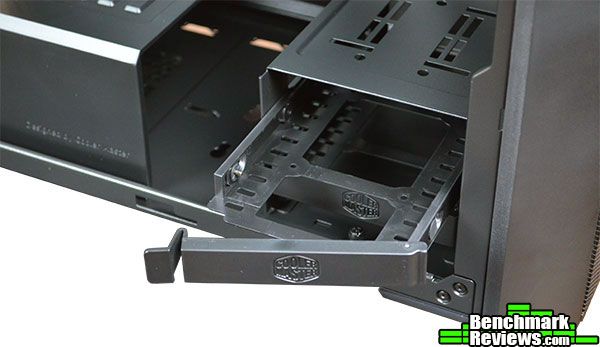
As with most of Cooler Master’s cases, the 3.5″ HDD cage utilizes Cooler Master’s tool-less hard drive trays that simply bend around a 3.5″ HDD or screw mount an SSD.

Behind the motherboard tray, we can see the tie down points, as well as 1 additional SSD mounting location (must use a bracket) just below the CPU cutout. The space behind the motherboard tray is generous, with 25mm behind the motherboard tray and 35mm behind the PSU. Why Cooler Master chose to only allow 1 additional SSD to be mounted is somewhat bizare, as it could have easily accommodate at least two, especially if they ditched the proprietary SSD bracket and just simply cut holes for SSD mounts.
While custom water cooling loops is possible in this case, it is clearly designed more so for AIO (all in one) liquid coolers. With various radiator options in front, and a 120mm radiator option in the rear, you should be able to liquid cool a CPU as well as a GPU.
While I understand Cooler Master’s direction with this case, I don’t understand the use of proprietary SSD brackets. It would have been simpler to just cut holes for SSD mounting, instead of utilizing brackets, but I think they were traying to keep the cable routing options available and somewhat hidden by the brackets. The back of the motherboard tray is where they could have easily put in more SSD mounting locations without the need of a bracket, maybe just slots instead. Given how small the optional fan/radiator bracket that is needed to mount 3 x 120mm fans and/or 360mm radiator, it would have been nicer to have the bracket and maybe one or two more SSD brackets bundled instead of the PSU shroud and StormGuard slot cover.

Given the number of fan options, options for AIO radiators, and the sheer amount of configuration options, this case can easily perform as your daily driver or gaming PC. The only drawback to the performance of this case is the lack of any sound dampening. Be that as it may, choosing the right parts will negate this problem.
Appearance wise, the MasterBox 5 is a simple design. It’s square, it’s black, and it has a window. There isn’t really any design aspect that sets it apart from it’s budget friendly competition.
This case is constructed similarly to any other steel/plastic combo budget case. Thin side panels and a reinforced steel frame makes up the bulk of this case’s construction. The thin metal tabs that hold the plastic window to the case leave a lot to be desired, as they don’t tighten to the window well and allow the plastic window to rattle a bit.
This case functions fine for a AIO water cooling or air cooling user. In terms of custom water loops, well there’s just better options out there. I’m sure it can be done, and I’m sure some will do it, but it’s not really geared towards that type of setup. But, for the price, it will function well.
At it’s current price and configuration of $69.99 (Amazon | Newegg), the MasterBox 5 is a decent buy for the budget minded. It’s ability to grow and change as your preferences/needs grow and change makes it a decent deal, especially if you can use it in it’s default configuration for a while. That being said, for $40 more, you could get a Cooler Master MasterCase 5, which is a better case for the money.
I recommend this case for anyone who is looking for a budget friendly case that has a versatile layout and options to grow with the end-user. It has some OK cable management routes, but with the large holes and no grommets (yet), it can be a bit of an eye sore on the inside. The case might have better benefited if it had taken after it’s Canadian counterpart and came with solid panels on both sides.
+ Simple, modular design
+ Can support 5.25″ drives (with cage purchase)
+ Budget friendly
+ Multiple SSD mounting locations
+ Multiple radiator support
– Only 1 proprietary brackets for SSD included
– No sound dampening
– Plastic window not held securely
– Thin steel side panels
– No rubber grommets
-
Performance: 9.00
-
Appearance: 7.00
-
Construction: 7.00
-
Functionality: 9.00
-
Value: 8.00


3 thoughts on “Cooler Master MasterBox 5 Case Review”
Have you ever seen the *optional fan bracket? I want to buy one but can’t seem to find it.
I recommend contacting Cooler Master at 1-888-624-5099, hopefully they have them in stock and it just wasn’t put on their website.
Is it possible to squeeze normal 2 slot gpu in the last pci slot?
Comments are closed.