By Jason Maxfield
Manufacturer: Cooler Master
Product Name: MasterPulse Pro
Model Number: SGH-8700-KK7D1
UPC: 884102028588 EAN: 4719512052471
Price As Tested: $99.99 (Amazon | Newegg)Full Disclosure: The product sample used in this article has been provided by Cooler Master.
Cooler Master has sent us their MasterPulse Pro Headset for review. MasterPulse is a new series of audio headsets and in-ear headphones for use with PC, gaming consoles, and smart phones. This article will be focusing on the top of the line MasterPulse Pro Headset.
In this article for Benchmark Reviews, I’ll be putting the Cooler Master MasterPulse Pro corded USB gaming headset head-to-head with the Corsair Void Surround headset. Both headsets feature 7.1 virtual surround sound. How will the MasterPulse Pro stack up? Let’s find out.

| Model Number | SGH-8700-KK7D1 |
| Earphones | |
| Driver | 44mm driver |
| Frequency Response | 20~20,000Hz |
| Impedance | 50Ω |
| Sensitivities (@100Hz) | 118dB ± 3dB |
| 109dB ± 3dB (bass off) | |
| Max output power | 100mW |
| Cable Length | 2m |
| Connector | USB gold-plated |
| Microphone | |
| Pick-up Pattern | Omni-Directional |
| Frequency Response | 100~10,000Hz |
| Sensitivity | -34 ± 3dB (0db = 1V/pa.1KHz) |
| Signal to Noise Ratio | 50dB or more |
Product specifications taken from Cooler Master’s website.
Let’s go over some of the MasterPulse Pro’s features


The Cooler Master MasterPulse Pro comes in a nicely designed box, with and exploded view of the headset on the inside panel cover.
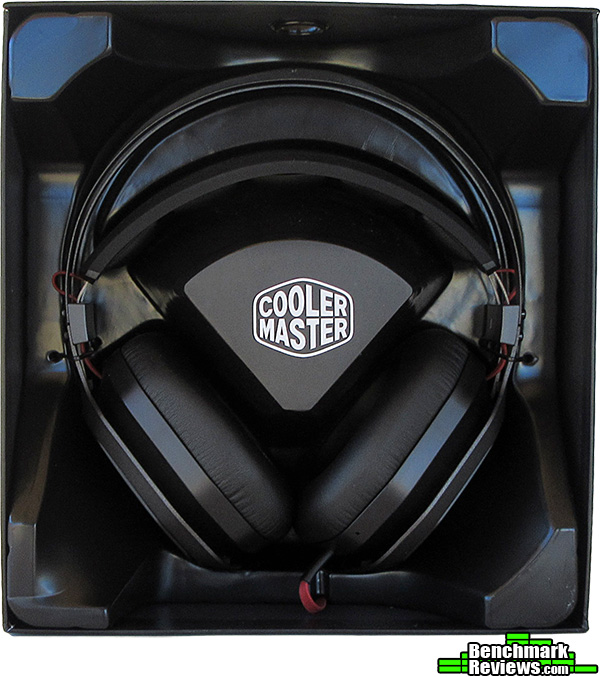

Here’s what you get inside: The MasterPulse Pro headset and manual. Although the manual is very light on information. Since this is a pre-sale unit, it did not come with the MasterPulse software app, that allows more control of the EQ and RGB lighting effects.
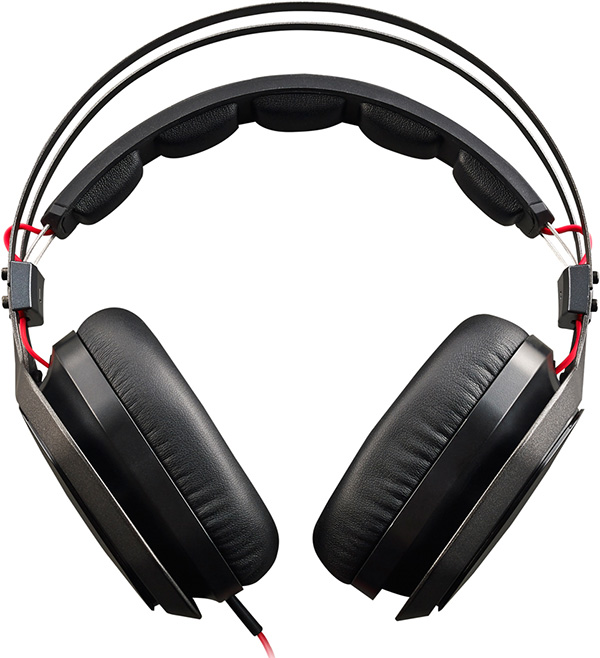
A shot from the backside of the MasterPulse Pro gives you a good view of the aluminum frame and soft vinyl covered ear pads and head rest.

Here’s a side shot of the MasterPulse Pro, you can see the Cooler Master logo lit up.
Next page I’ll go over finer details of the MasterPulse Pro.
Below, I’ll show you all the details the MasterPulse Pro has to offer.


The MasterPulse Pro has a patented feature they call ‘Bass FX.’ The simplicity of this feature allows you to remove the plastic caps on the end of the ear cups for increased bass response and a more open air feel. With the caps on, the bass response is more subtle and tightly controlled. The caps are held in place with four magnets against the metal mesh grille.


This series of images highlights the in-line controller of the MasterPulse Pro. This controller controls everything, and has a custom sound card built-in for all the audio processing to ease that burden from your PC.
The controls include, volume, mic mute, EQ, 7.1 surround, and LED control. The custom EQ profiles are color coded, with a 3+1 preset for music, movies,gaming and no EQ. Red is for bass boost music. Blue is a mid boost for movie listening. Purple is for gaming, which is more of a high frequency boost.
The controller is a bit big and comes with a handy clip to pin it to your shirt so it doesn’t get in the way. While the mic is hidden away in the left headphone. I kind of like that, no more boom mic to get in the way when you just want to listen to some music or movies and not disturb anyone else. I have more details about the mic later in this article.

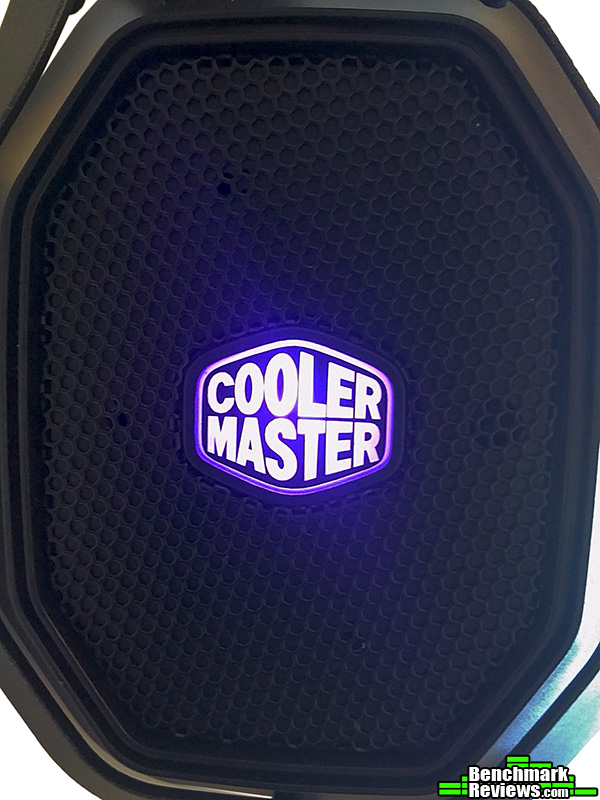 The MasterPulse Pro lighting system is pretty standard. You can cycle between set colors or a breathing mode, which cycles through all 7 of the preset colors. The MasterPulse software is suppose to allow you to be able to customize your colors. At the time of writing this software was not available, but will ship with all retail units.

 Here is a side shot with the bass fx caps on and off for comparison. The bass really is affected with the caps removed. It becomes and open air driver and the bass frequency really does kick in. Put the caps back on and bass response lessens but becomes more balanced and tight.


I wanted to include a shot of the head strap and aluminum frame work. The headset is kept really light, yet sturdy with this design. The head strap flexes for a perfect fit and is comfortable for hours of use. I have fairly large ears and they fit inside the ear cups comfortably for a while. With extended use I did encounter some discomfort with my ears as they touched the foam covered plastic on the inside of the ear cup.
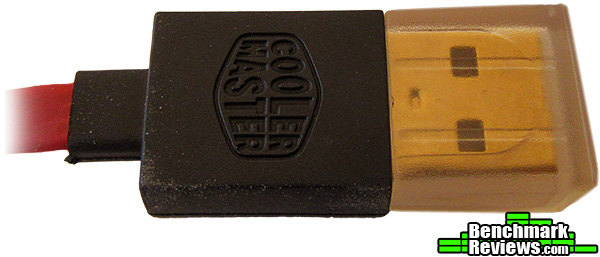
Connectivity is supplied through USB only. One thing I was disappointed with the MasterPulse Pro was the lack of a headset jack adapter, and I do not know if Cooler Master intends to release an adapter or not.
I kept things simple for testing. I used my PC for tests and evaluations. The software used for testing included audiocheck.net and Passmark’s SoundCheck.
For everyday use, I listened to a variety of music, movies, and shows on Netflix. No sound testing would be complete without some video games thrown into the mix as well. I played Dragon Age: Inquisition, Skyrim: Special Edition, and Osiris: New Dawn, just to name a few.
I also compared the MasterPulse Pro to my Corsair Void Surround headset. When it came to the audio analysis using audiocheck.net and SoundCheck, I ran both through the same tests.
Testing on the MasterPulse Pro was also done with the Bass FX caps on and off for comparison.
-
Motherboard: MSI 870 G45
-
System Memory: GSkill Ares 8GB @ 1600MHz CL8
-
Processor: AMD Phenom II X4 965 @ 3.8GHz
-
Audio: VIA VT1828S
-
Video: XFX Radeon R9 390
-
Disk Drive 1: Samsung Evo 850 500GB SSD SATA 3
-
Disk Drive 2: WD Black 750GB SATA 2
-
Optical Drive: HL-DT-ST DVDRRW GSA-H30L SATA
-
Enclosure: Silverstone PS11-W
-
PSU: EVGA Supernova G2 850 Watt
-
Monitor: Acer X223w 1680×1050
-
Operating System: Windows 10 Pro
I must say the high sensitivity of the MasterPulse Pro took me back. I literally had to listen to the headset on a volume setting of 1 or 2. The Corsair in comparison I had to have set to 75. The difference, I’m guessing, has to do with the USB adapter for the Corsair and it’s 90mm drivers, compared to the MasterPulse Pro 44mm drivers, and it’s built-in sound card probably helps amplify the signal coming in from the USB port.
I would also suggest using a DAC USB port if you have one. I can notice some background noise when source material volume is low. When volume is higher with the source material I can’t hear the background noise anymore. DAC USB ports filter noise out, and should potentially help with that.
Moving on, I’ll talk about the general listening performance while testing the MasterPulse Pro. While listening to music, the MasterPulse Pro had a nice balance to them. The bass was not overwhelming with the bass fx open, while the mids and highs maintained a clear and precise sound. With the bass fx closed, the bass became less present in the mix, but more controlled and tight sounding. The Corsair with it’s larger drivers had no problem with deep bass and clean mids and highs.
The overall balance and sound field was tight with both headsets. Both the MasterPulse Pro and Corsair headset gave a sense of a wider sound field with virtual surround turned on. Sound could still be localized to the left or right, as well as dead center on both headsets.
The MasterPulse Pro’s mic seemed to not be as sensitive as the Corsair’s. Lacking a boom arm to position the mic better caused problems with low volume in my voice recording samples and some loss of clarity. Using the MasterPulse Pro to talk on Skype with friends confirmed my findings. The Corsair headset with it’s boom mic had the best clarity, although, it sounds a bit tinny.
Moving on to some games and movies on my PC. I watched shows on Netflix and replayed the same sections of shows and movies to get a consistent comparison.
The MasterPulse Pro sound quality was a step above any of the headsets I have used or reviewed. The dynamic range and sensitivity allowed me to hear very quiet sounds clearly, immersing me deeper into shows that I was watching. The Corsair Surrounds were good, but lacked the dynamic range and subtle clarity, when compared to the MasterPulse Pro Headset.
The MasterPulse Pro has brought a new level of immersion while gaming. Hearing some of the quiet sounds that I really never caught before while playing Skyrim. Dialogue was crisp and clear. Music and sound effects were the same. Skyrim’s epic music is some of my all-time favorite. I played several sections over by loading saved games, then switching headsets. The Cosair Void Surround wasn’t quite as immersive. That lack of dynamic range really hurts the Corsair headset in my opinion.
I tested each headset with audiocheck.net and Passmark’s SoundCheck. The tests on audiocheck start off with an audio sweep from 10Hz to 200Hz, with a voice overlay conveying what frequency the sweep is at. The results were nearly identical from both headsets. I could start hearing the bass right around 20Hz on both headsets. The sound stayed even and consistent all the way up to 200Hz.
The next audio sweep goes from 22KHz down to 8KHz. Both headsets are capable of going as high as 20KHz, but I could not hear anything until 15 to 16KHz, and all the way down to 8KHz. I’m sure this is just a limitation of my hearing since I’m over 40 years old. In any event, both headsets sounded roughly the same in volume without any noticeable peaks or dives during the frequency sweep.
With the spectral flatness test, we want to see just how even the sound is from low to high frequency without any noticeable shift in volume. The MasterPulse Pro sounded even from low to high frequency without any noticeable spikes in volume. On the other hand, the Corsair headset was not as even in volume. As the sound neared 1k I noticed a slight uptake in volume, where the MasterPulse Pro seemed to have no noticeable gain.
Next is the dynamic range test. This test determines the ratio between the loudest signal you can hear and the quietest. With the MasterPulse Pro, I was able to make sounds out clearly down to -60dBFS. After that, I could hear sound down to -72dBFS, but it wasn’t clear enough for me to understand. The Corsair headset was even worse. I could clearly hear down to -30dBFS and barely hear -36dBFS, but without understanding. This test clearly shows the dynamic range of the MasterPulse Pro is much superior to the Corsair Void Surround.
The bass shaker test is fun. It does a sweep of low frequencies to see if the headset/earphones rattle or buzz from the enclosure vibrating. The results were the same for both headsets, neither exhibited buzzing or rattling.
Driver matching ensures that each driver will respond the same with any given frequency. Matched drivers sound will stay central during the frequency sweep without any deviation to the right or left. Again, the results for both headsets were the same. Consistent focus of sound in the center without any noticeable deviation.
The wiring test simply makes sure that your headset/earphones are wired with the correct polarity. Both headsets are wired correctly.
Finally we have the binaural test. Binaural recordings are done with two microphones to imitate our own hearing. The test sample consists of someone knocking on a wooden door on the right side, then the left side. Oddly enough, this quick audio sample sounds more ‘surround’ than actual Dolby 7.1 audio to me.
The MasterPulse Pro sounded precise and accurate. The knocking on the left side sounded a bit more distant and to the rear. The Corsair headset just didn’t have the same impact as the MasterPulse Pro. I’m not sure if the higher sensitivity and dynamic range play into these results or not.
Testing with SoundCheck was not quite as scientific, but more of a feel. It was mainly useful for recording voice samples with the various mics to compare how good they sounded. I went over the mic sound quality early, so I won’t bore you with it again.
There was some other interesting tests, including a 3D audio clip. The test had sliders to widen the sound field while the sound circled around a center point. This effect had similar results on both headsets. The sound never really seemed to circle around, so much as ping-pong back and forth between the right and left channels. I never got a sense of the sound being in front of me or behind me.
Another audio test had various sound effects, including chorus, echo, reverb, etc. etc. The audio fx test played the same loop of music, so each effect could be applied and the results were consistent. Each of the headsets were clearly able to make out the effects when they were activated. I was able to hear the subtle effects better with the MasterPulse Pro when compared to the Corsair Surround headset.
I also ran the tests with the bass fx caps on with the same results. The only difference was lower volume in bass frequencies. This did affect the dynamic range slightly by -6db.
You might notice at this point I haven’t mentioned the 7.1 virtual surround sound that much. 7.1 virtual surround on both headsets doesn’t really do much other than broaden the sound stage. The MasterPulse Pro boosts the volume when turning the surround feature on for some reason as well.
I listened to a lot of content recorded in Dolby 5.1 and 7.1 surround, then just in stereo, and it sounds roughly the same. This is two headsets now that I’ve reviewed that failed to deliver anything like a surround sound performance that I’m used to hearing in theaters or even my own Dolby 5.1 system in my living room.
The MasterPulse Pro Headset is nice. I like the design and aesthetics. I kind of have a love-hate relationship with the lack of a boom mic on this headset. It’s great for gaming and music listening. But for voice chat, it’s lacking.
Cooler Master could have used a detachable boom mic instead to keep the headset clean looking when the mic isn’t required and that would keep me happy with having a good mic when needed instead of the hidden mic that is performing poorly.
I would also suggest an adapter for using the MasterPulse Pro with a mini-jack. This is a minor gripe, as I don’t really need it to be compatible with a mini-jack, but having options is nice.
Performance of the MasterPulse Pro was very good when listening to music, gaming, or during voice chat. The mic however is lacking and sounds soft and distant.
Appearance of the MasterPulse Pro is pleasing to the eye. The aluminum frame is light yet sturdy. The red cabling is a bit eye catching at first and I’m still kind of on the fence about how it looks. Although, tangles do not seem to be an issue with this cable, as Cooler Master claims.
Construction of the MasterPulse Pro is excellent. Everything is well put together. Nothing seems out of place or mis-aligned. Even the plastic in-line controller doesn’t feel like it’s going to break without some effort.
Functionality of the MasterPulse Pro is nice. All the switches and buttons are easy to get at. You can adjust volume, EQ, and lighting without having to look at the controller once you get used to it. The mics functionality is a bit of a let down. I think Cooler Master could of implemented a better system for the microphone. 7.1 virtual surround is a bust as well.
Value for MasterPulse Pro, with it’s price of $99.99 (Amazon | Newegg), seems a bit high to me when comparing it’s cost to the Corsair Void Surround, which is sells for around $79.99 (Newegg) at the time of this writing. Launch pricing may vary, so it’s hard to put a value on the MasterPulse Pro. But given the prices that I see, the MasterPulse Pro was the better performer in my opinion, making it worth more than the Corsair Void Surround. $20 bucks more? Maybe so.
In conclusion, if you are looking for a gaming headset that works well when listening to everything, this is a solid choice. If you really need a headset that has a great mic for voice chat, this headset is not the one for you.
+ Dynamic range and immersive sound
+ Light and sturdy construction
+ Bass FX
+ RGB lighting
+ Built-in EQ
– Poor microphone performance
– Limited connectivity options (USB only)
– Virtual 7.1 surround doesn’t work
-
Performance: 8.75
-
Appearance: 9.5
-
Construction: 9.5
-
Functionality: 8.0
-
Value: 8.0


