By David Ramsey
Manufacturer: Ozone Corporation
Product Name: Neon Precision Laser Mouse
Part Number: OZNEONR
UPC: 8436532172090
Price As Tested: $49.99 (Amazon)
Full Disclosure: Ozone Corporation provided the product sample used in this article.
Ozone’s been around for a few years, but you’ve probably never heard of them. I certainly hadn’t, at least not until this sample arrived at Benchmark Review’s doorstep. Ozone purports to be dedicated to making peripherals for gamers, and employs several as consultants to help design their gear. Right now their lineup comprises mice, headsets, keyboards, mouse pads, and accessories like backpacks and replacement key sets.
The Ozone Neon Precision Laser Mouse is their mid-level gaming mouse offering, and boasts 128KB on-board memory, on-the-fly switchable resolutions, multiple profiles, 8 programmable buttons, and a 6400-dpi laser sensor. Its ambidextrous design separates it from most other gaming mice, and today Benchmark Reviews will take a detailed look at this new entry in the gaming mouse field.
The price of the Ozone Neon puts it square in the hottest mouse territory right now, the sweet spot between cheap commodity mice and $100-and-up high-end gaming mice. A few years ago a mouse with these specifications would have cost twice as much, but the plummeting costs of sensors and micro-controllers have driven retail prices down to the point where a really good gaming mouse can be had for a mere $50.00. Like other gaming mice, the Ozone Neon is programmable, sports extra buttons, and uses a high resolution laser sensor that will track perfectly on almost any surface. It’s getting to be pretty crowded in this space, though.

| Sensor DPI | 6400 / 3500 / 1800 / 800 dpi (switchable) |
| Sensor | Precision laser sensor |
| Switch type | Omron – 20 million clicks life cycle |
| Programmable buttons | 8 |
| Response rate | 2 / 65 / 125 / 190 / 255ms (switchable) |
| Polling Rate | 125 / 250 / 500 / 1000Hz (switchable) |
| Cable length | 1.8 meters |
| Weight | 120g (inc. cable) |
| Profiles | 5 onboard (128K memory) |
| Design | Ambidextrous design |
Let’s unbox this mouse in the next section…
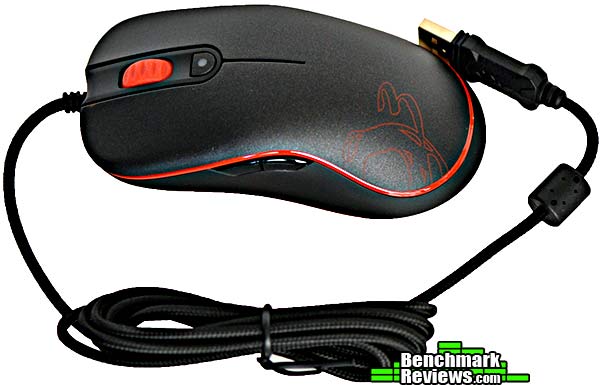
Ozone’s Neon Precision Laser Mouse has a rather long, almost 2 meter, braided USB cable. The mouse is black with red trim, and you can get it with white, blue, and black trim if you wish.
Included accessories are a setup pamphlet, an “Ozone Gaming Gear” sticker, and a small CD with the driver and utility software. I love companies that spend the extra few cents to include physical media! However, this tiny CD will not work in a slot-loading optical drive, and can be problematic with vertically-oriented drives, so use caution if you have anything other than a standard tray-loading drive. For those of you without optical drives, the software is available for download, although Ozone annoyingly uses the .RAR format, meaning you’ll need a third party utility to decompress it.

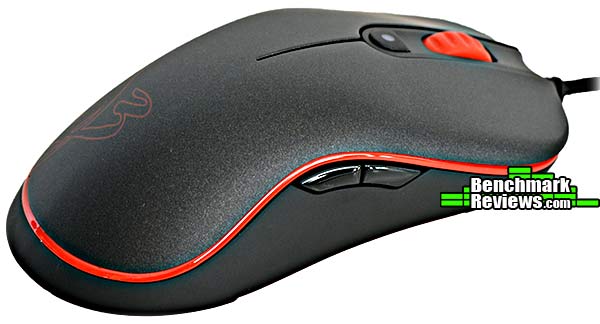
This is the third perfectly symmetrical mouse I’ve reviewed lately. This shot shows the right side of the mouse, but the left side is identical. You can easily see the texture on the top of the mouse in this shot; it’s a soft rubberized finish that provides a good grip.
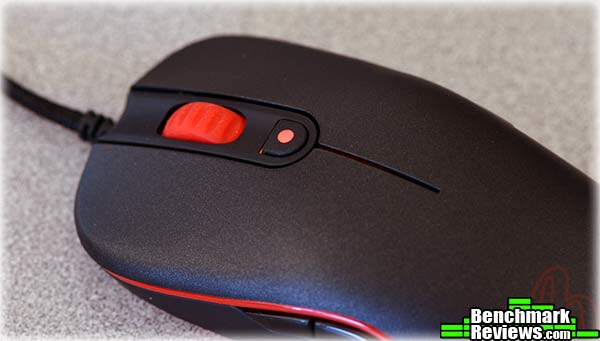
This button below the scroll wheel defaults to selecting the resolution, and is also the location of the only LED on the mouse. Although it’s red here, it changes colors depending on the resolution selected. This is not as easy to interpret as the “bar graph” used by other mice, but if you’ve installed the utility software, pressing this button shows the new resolution briefly at the right bottom corner of your screen.
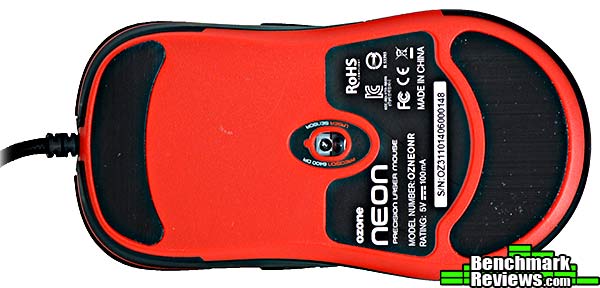
The bottom of the mouse is a splash of color, but there’s nothing here other than the laser sensor and the PTFE mouse feet.
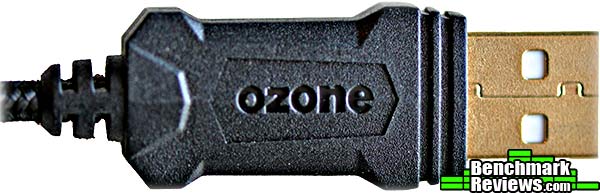
The end of the braided USB cable is stamped with “ozone”, and the USB connected is gold-plated. This does precisely nothing for functionality, but it looks pretty, and I suppose they have to keep up with the competition since gold-plated connectors are common in other gaming mice.
Let’s take a look at the Ozone utility software in the next section.
Ozone’s utility and configuration software is called, confusingly, “Ozone Driver”. It offers a standard array of functions for controlling the mouse characteristics and setting up profiles and macros. The main window is shown below. The Sensitivity Options at the left, Profile selection at the bottom, and labeled mouse button graphic in the center are constant; clicking the System Settings, Advanced Settings, or Button Settings tabs will change the control panel shown to the right of the mouse graphic. Here, the System Settings are shown. These are simply the standard Windows mouse settings for things like double-click speed, mouse wheel scroll action, and so forth, presented as a convenience feature.
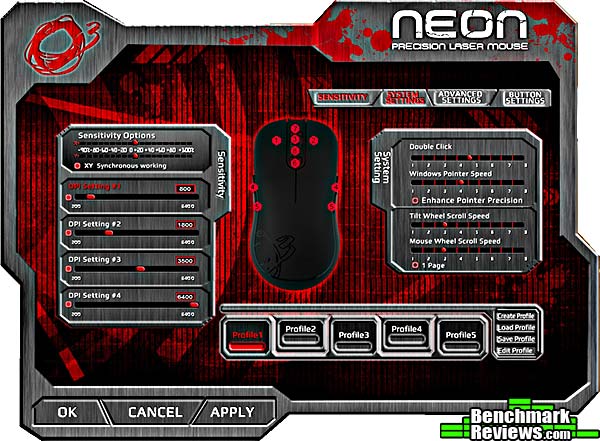
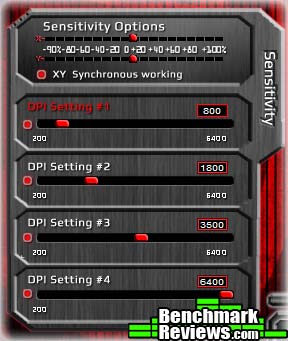
Sensitivity and DPI options are always shown at the left. Here you can set the sensitivity independently for the X and Y axes, and specify the DPI for each of the four on-the-fly settings.
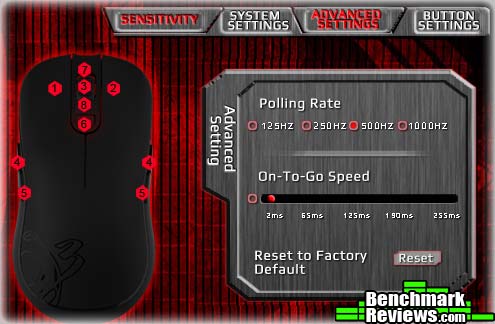
The Advanced Settings let you change the polling rate and the “on-to-go” speed, which apparently determines how fast mouse functions will repeat.
The Ozone software has a robust selection of functions to assign to its buttons, although there’s nothing here we haven’t seen before. Buttons can invoke macros, emulate any key press or series thereof, change profiles, launch programs, and so forth.
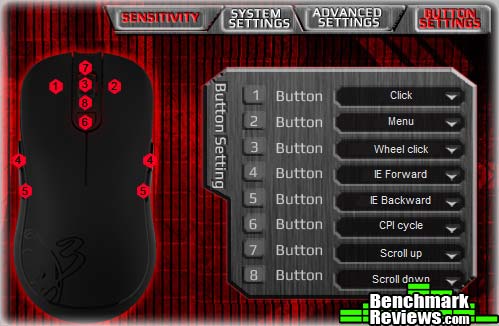
You can store five different profiles in the mouse’ onboard memory, which means you can unplug it and take your gaming setup with you to another computer. Additional profiles can be stored on the disk and can be either loaded manually, or set to automatically load when a specified program is run. Of course for the latter feature to work, the Ozone utility software must be installed on the computer in question.

Let’s see how this mouse is to use in the next section.
A gaming mouse should offer quick, easily adjustable response, a crisp feel, and programmable buttons. The Ozone Neon ticks all these boxes, although I found that its all-plastic construction made the mouse extremely light, as opposed to the heavier feel of the (more expensive) metal-framed gaming mice such as the EVGA TORQ X10. In fact the mouse is so light that its stiff USB cable can push it slightly when you let go of the mouse.
As with other high resolution gaming mice, I had to set the DPI down to 1,000 or so to make the mouse usable on a 1080p screen. Still, the extra DPI is there and waiting if you have the reflexes of a cat on crack and are using a triple-monitor system. A quick run waving the mouse frantically over Mouse Rate Checker reveals that it can indeed hit its designated maximum polling rate of 1kHz.
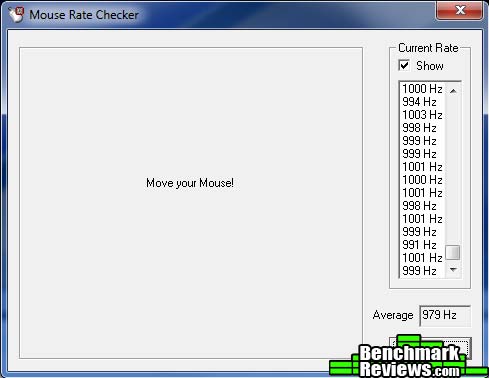
The mouse’s rather pedestrian shape is nonetheless easy to hold. As with other ambidextrous mice I’ve tested, I found the far side buttons to be difficult to press with my little or ring fingers; however, since on this mouse buttons on both sides are always functionally equivalent, there’s never any reason to press them.
Overall the mouse and its software are easy to use, and it works well in a variety of FPS-type games.
Like all modern gaming mice, the Ozone Neon is delivered with no documentation, although you can find an fairly comprehensive online manual here. This explains the functions of the software pretty well, including the macro recording feature. The recording feature is basic, handles key presses and mouse buttons, and seems to limit you to about 20 characters total per macro. Once nice feature is the checkbox under Record Options that lets you decide whether you want to record the delays between pressing and releasing a key, and between keystrokes.
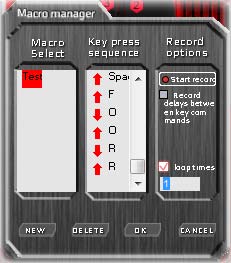
Macros are of course stored along with buttons definitions on a per-profile basis.
So what’s my overall impression of Ozone’s mouse?
Ozone drops the Neon Precision Laser Mouse into an increasingly crowded section of the mouse market: the $75-and-under segment. It’s a perfectly competent entry; my only complaint is that there’s nothing to really distinguish it from its competitors.

And it has plenty of competitors. The recently-reviews EVGA TORQ X5 mouse has the same MSRP, but offers more buttons, configurable lighting effects, and a more intuitive “bar graph” readout for the resolution selection. For $10 more, the Corsair Raptor M45 offers a bar graph resolution readout, a metal scroll wheel, and an adjustable weight system.
Like the EVGA TORQ X5, the Ozone Neon’s all-plastic construction makes it feel very light. Personally I prefer a little more heft to my gaming mice, but some people will prefer the light weight. The mouse does have all the gaming mouse attributes it really needs:
- Fast response
- On-the-fly adjustable DPI
- Crisp button action
- Good utility software
- High-quality switches and sensor
…but it seems a little bare-bones next to other mice in the same price range. Cost-cutting measures like the single color-changing LED for the resolution selection become more apparently when you compare this mouse to its competition. The single feature that surprised me was the inclusion of a laser sensor; most mice at this price range use normal LED sensors. The laser sensor will presumably provide more precise tracking over a variety of surfaces, but I’ve never really noticed the difference myself between laser and non-laser mice.
I think the best thing Ozone could do for this mouse is to drop the price by $10. They’d have no competition at that level, and it would be a better fit for what the mouse offers.
I’d like to see Ozone spice up the appearance of this mouse a little: the only thing distinguishing this mouse from a commodity office mouse is the red trim, and while Ozone’s press shots make the trim look backlit, it’s not, and the red design on the mouse body is very subtle in normal light. Ozone does offer this mouse in black, white, and blue trim as well, although I can’t imagine why anyone would want the black trim.
The Neon Precision Laser Mouse represents the bottom of Ozone’s five-mouse lineup, with the more advanced Argon, Argon OceloteWorld, Radon SK, and Radon Opto offering heavier-duty construction, adjustable weights, higher-resolution sensors, programmable lighting, and other higher-end features. There’s nothing wrong with that: the Neon is perfectly competent and not everyone needs the more advanced features and higher price of the fancier mice.
But Ozone needs to respond better to market forces; the Neon Precision Laser Mouse struggles to distinguish itseld from its competition, which offers similar performance and more features at the same or slightly higher prices. Available online for $49.99 (Amazon), Ozone’s Neon gaming mouse is a good value but there are better options available.
+ Onboard macro storage
+ Included optical media with driver
+ Ambidextrous design for a gaming mouse southpaws can actually use
+ Good utility software
– Right and left side buttons are identical function-wise
– No “sniper” feature
– Heavy competitive pressure at this price level
-
Performance: 9.50
-
Appearance: 8.25
-
Construction: 8.25
-
Functionality: 8.50
-
Value: 8.00
Recommended: Benchmark Reviews Seal of Approval
COMMENT QUESTION: Who makes your favorite gaming mouse?


