By Olin Coles
Manufacturer: Cooler Master Corporation
Product Name: Quick Fire XTi Mechanical Gaming Keyboard
Model Number: SGK-4060-KKCL1 (Blue), SGK-4060-KKCM1 (Brown), SGK-4060-KKCR1 (Red)
UPC: 884102027079 EAN: 4719512048115
Price As Tested: $145 (Amazon | NewEgg)
Full Disclosure: The product sample used in this article has been provided by Cooler Master.
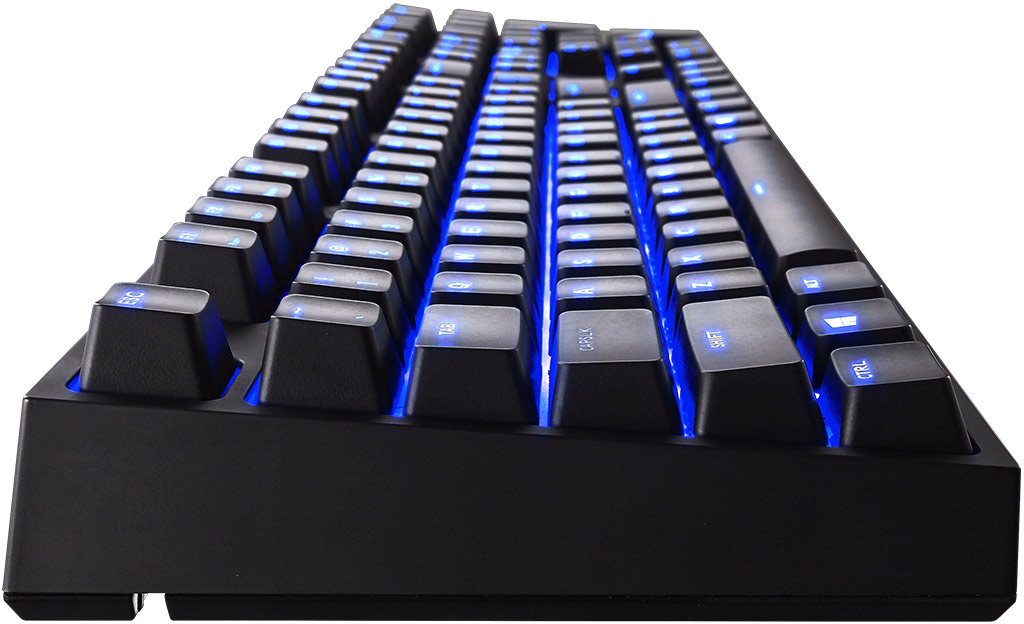
Without question, keyboard and mouse peripherals have become natural extensions of the body for the eSports gamer. Of the two, keyboards are used for both everyday workload as well as entertainment. In this article, Benchmark Reviews tests the Cooler Master Quick Fire XTi Mechanical Gaming Keyboard, which features genuine Cherry MX Blue clicky switches, customizable multi-color LED backlighting, and programmable macro capability.
Cherry MX-series switches have become all the rage for PC gamers and hardware enthusiasts. Most mechanical keyboard varieties utilize either Red, Brown, or Blue switches, each designed with its own unique feature set. Cherry Red switches use a linear design that foregoes tactile feedback and audible click sound, while delivering a lightweight 45 cN resistance. Brown switches offer the same lightweight response, but add tactile feedback without clicking. Blue swtiches, featured on the Quick Fire XTi tested for this review, offer a slightly more resistant 50 cN response with tactile feedback and audible click.

Courtesy Cooler Master
| Model Numbers | SGK-4060-KKCL1 (Blue switch) SGK-4060-KKCM1 (Brown switch) SGK-4060-KKCR1 (Red switch) |
| Key Switch Type | CHERRY MX Blue/ Brown/ Red |
| Key Rollover | NKRO (Windows only) |
| Keycaps | ABS, grip coated, removable |
| Polling Rate | 1000 Hz/1ms |
| Backlight | Full backlit, 35 colors, 5 settings |
| Windows Key Lock | Yes |
| Media Keys | Yes (via F keys) |
| Interface | Micro USB 2.0, full speed |
| USB cable | 1.8m braided, gold plated and removable |
| Dimensions | 43.9(L) *13(W) *4.1(H) cm 17.28(L) *5.12(W) *1.61(H) inch |
| Weight | 1114 g / 2.46 lbs |
The Cooler Master Quick Fire XTi Cherry MX Blue-switch mechanical gaming keyboard currently sells online for $145 (Amazon | NewEgg). Cherry MX Red and Brown-switch versions will come soon after launch, but for now only the Cherry MX Blue version is available.
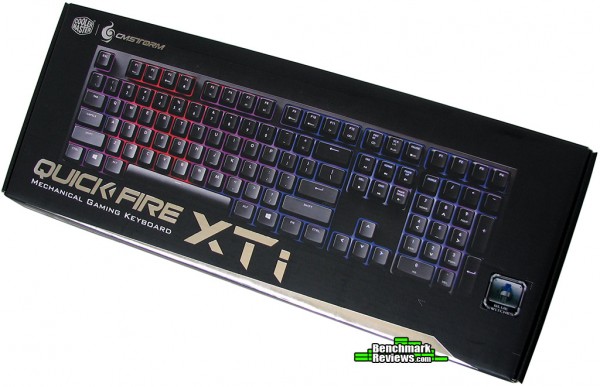
The Cooler Master SGK-4060-KKCL1 kit includes the Quick Fire XTi keyboard, a 1.52 m (5 ft) gold-plated Hi-Speed USB 2.0 A-Male to Micro-B cable, key cap puller tool, replacement Windows key alternative, quick-start guide, and a cloth dust cover sleeve for storage.
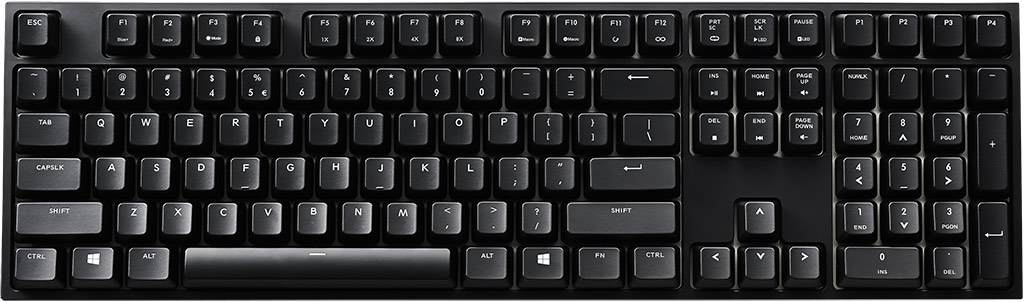
Measuring 17.28″ wide, Quick Fire XTi is a full-size (104 layout) keyboard with 108 total keys. Twelve function keys line the top of the keyboard, with a ten-key pad at the right and four programmable profile keys positioned above.
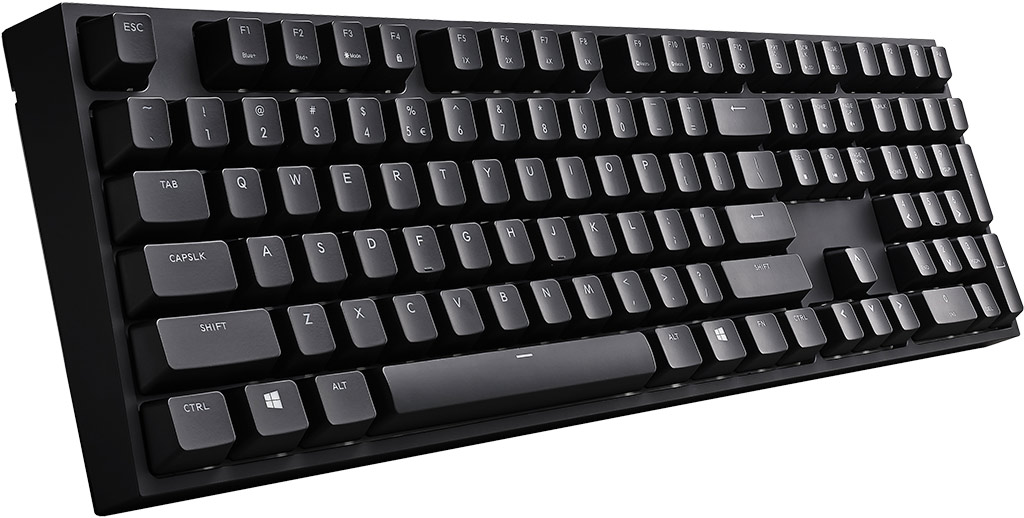
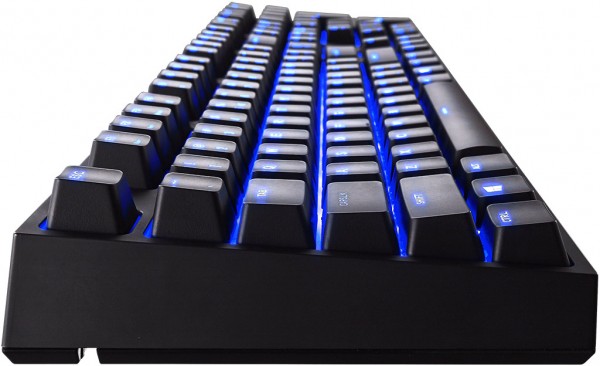
Listed as one of the selling features, Quick Fire XTi delivers “refined symmetry” with uniformly rounded square keys, and a heavy 2.5 lbs weighted design that prevents accidental movement when action gets heated. Although the Cherry Blue switches are a favorite among typists, Quick Fire XTi arrives without a wrist pad rest.
 As you can see for yourself by these images, Cooler Master intended for the Quick Fire XTi to emphasize mechanical utility and programmable profiles. That being said, multimedia playback and volume control functions are available as secondary key functions rather than dedicated keys the add to the footprint.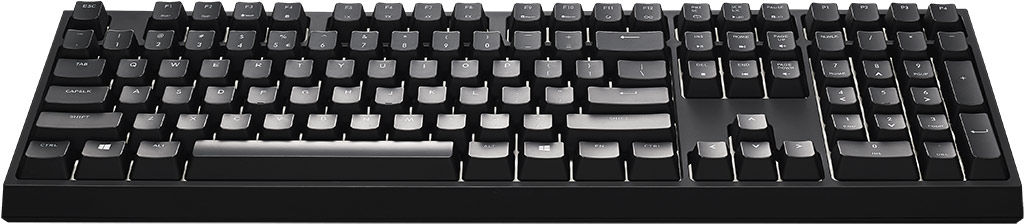
Programmed macro function combinations come pre-loaded on Quick Fire XTi, so no additional software is required. In the next section, we’ll cover the deeper features available…
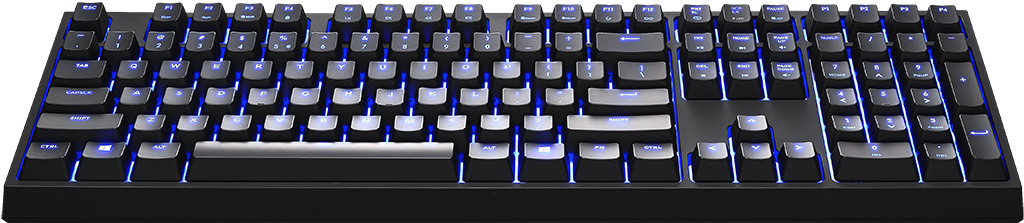
With the basic overview covered, it’s time to inspect the detailed featured included in Cooler Master’s Quick Fire XTi. To begin with, this Cherry MX Blue-switch mechanical keyboard features blue and red LEDs on each switch to combine and create up to 35 backlight colors per key.
Of the many color combinations available on Quick Fire XTi, several are designed for both function and fashion. The rainbow spectrum illustrated above is one example of style over utility, or you can customize the backlighting to be any number of shade combinations between red and blue. There are also programmed backlighting modes, which add custom key press responses are demonstrated in a video on the next page.
The key caps on Quick Fire XTi are of single-shot ABS construction, which have been sprayed flat black and then UV coated. Although ABS plastic is impact resistance and very durable, key caps could develop a shine after years of use. Fortunately, Cooler Master treats these keys with a tactile grip coating which prevents such wear.

Cooler Master includes a key cap puller and replacement Windows key, should you wish to disable the function or reprogram for some other use. All of the keys are removable on Quick Fire XTi, which means that any standard Cherry-style key cap will fit; although only those with translucent design will allow the LEDs to shine through.
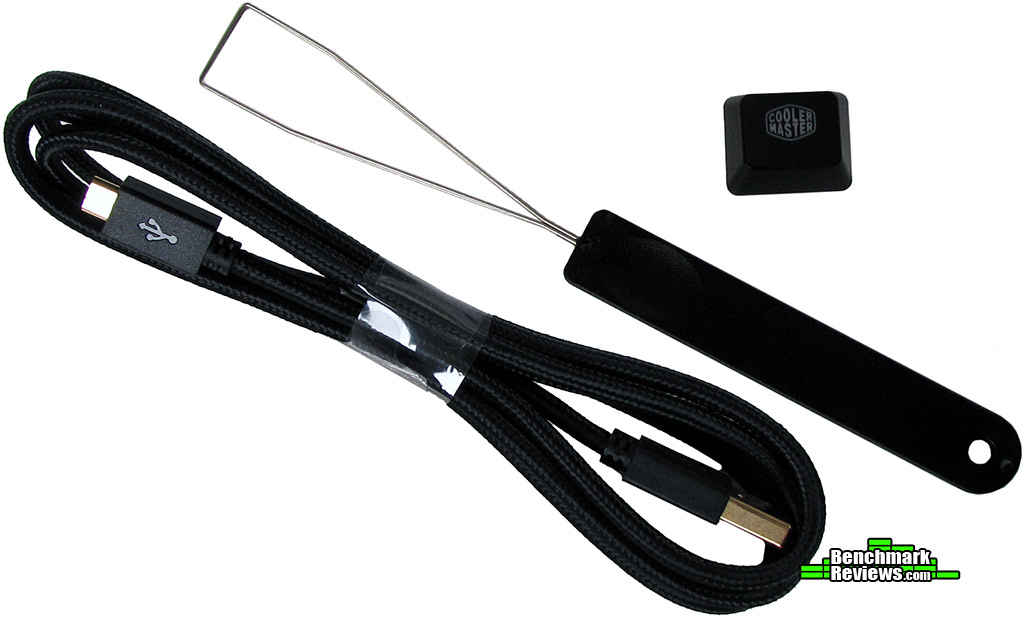
Cooler Master includes a cloth-sleeved gold-plated USB 2.0 cable with the Quick Fire XTi kit, measuring 5-feet long. For some, this short cable length might be perfect and reduce desktop clutter. For others (like me), this could mean your mechanical gaming must pass through an available port on the monitor instead because it can’t reach the PC.
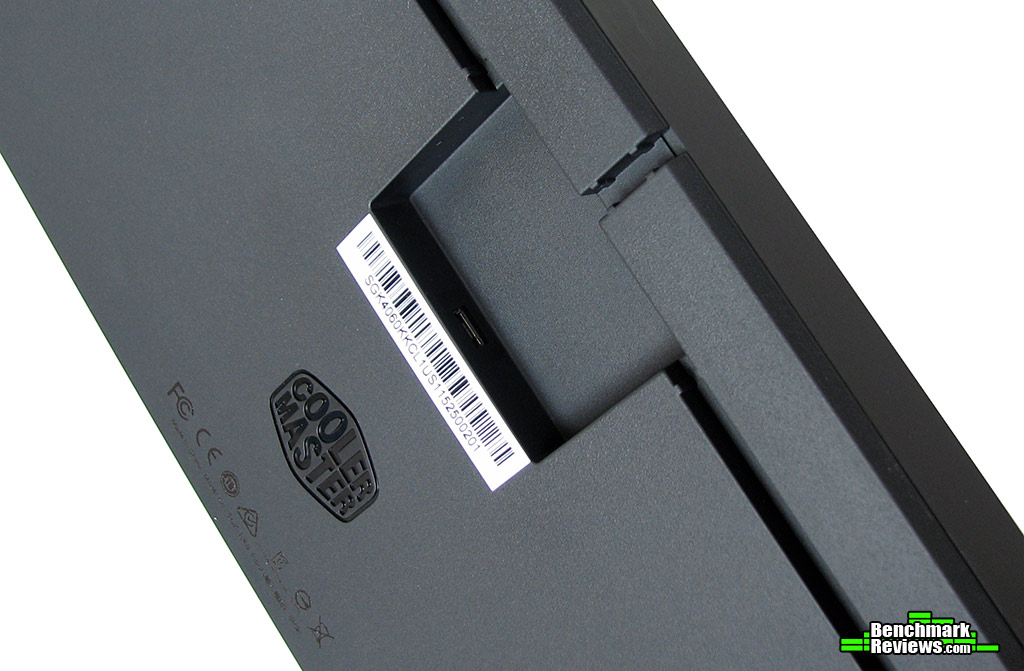
Cooler Master has designed Quick Fire XTi with three cable channels to route the USB cable from the underside port to your computer system. While you do lose a couple inches of cord due to the deep location of the Micro-USB port, the cable management options are very nice and reduce desktop clutter. There are no USB ports available for other peripherals on Quick Fire XTi, likely to ensure bandwidth remains at its most optimal for input transmission.

There are traditional feet that turn to give the keyboard’s backend some lift, providing angled access to the keys for the user. Alternatively, these rubber-tipped stands can be folded back down into on Quick Fire XTi keyboard to deliver flat and level access to the key cap surface.
In the next section, I share my experience with the Quick Fire XTi Mechanical Gaming Keyboard…
Before we get into my personal experience with this product, allow me to reveal my personal history with keyboards. For the past fifteen years I’ve handled various membrane and switch-style keyboards, primarily using rubber dome membrane and scissor switch types for everyday activity. It wasn’t until the past few years that started using switch-style keyboards for gaming purposes.
Recently I received a Max Keyboard test sample board with the eight most popular Cherry brand switch styles all arranged side-by-side. Personally, there are only two styles I prefer to use: Red, which are silent with light linear resistance, and if unavailable then Brown would be my second choice with equally silent switches that offer the same light resistance with mild feedback felt mid-stroke.
Cherry MX Blue switches, like on the Quick Fire XTi sample keyboard we received, include both an audible click similar to a ballpoint pen, and mild tactile feedback felt mid-stroke. Blue switches also require slightly more effort compared to Red switches to overcome their resistance, so they tend to fatigue hands faster than with Red switches. Overall, my personal preference is for Cherry Red switches, and even they are not quiet enough for me unless o-rings are added to dampen the tapping sound of key caps reaching the bottom of their travel.
Apart from the high-quality Cherry MX-series switches, Quick Fire XTi features programmable key combinations and backlighting schemes. We’ve embedded Cooler Master’s video tutorial of the keyboard below, which visually illustrates these features and how they work:
Keyboards require your interaction, and testing is very much a hands-on ordeal. After that, however, everything else about them becomes subjective. This is an account of my personal experience with the Cooler Master Quick Fire XTi, a mechanical gaming keyboard with authentic German-designed Cherry switches. This version (SGK-4060-KKCL1) came with Cherry Blue switches, however models with Brown (SGK-4060-KKCM1) and Red (SGK-4060-KKCR1) switches will soon be available as well. Cherry MX switches are guaranteed for 50-million key strokes.
It has been said that the serious typists will typically prefer Blue switches, while gamers like Red and Brown. I use my keyboard more often than anything else, for everything from gaming to writing article and corresponding to dozens of messages every day. For me, the audible feedback of Cherry Blue switches means that everyone in the house gets to hear my rapid-pace clicking as I type beyond 100 WPM. The feedback noise is akin to a very loud ballpoint pen being clicked over and over, and not at all confined to your personal work space.
Cherry Blue switches are not what I would recommend for the home user with inhabitants located within a few rooms of the keyboard. The professional user should either have their own enclosed office work area, because the feedback clicks will carry well beyond the cubicle. I recognize that some users require positive feedback as they press keys, so unless the loud click is a desired feature then Cherry Brown switches would be a quiet alternative.
Noisy feedback clicking aside, the key caps feels very natural under the fingertips and the traditional layout very familiar. The colored LED backlighting is another feature that’s either desired or not, and I found myself only using the schemes for the purpose of entertainment since I’m focused on the screen as I type. The ActivLite backlighting is per-key LED illumination, with four brightness levels. For those who demand LED backlighting, they’ll be pleased by the even distribution of light behind the keys regardless of viewpoint.
The Cooler Master Quick Fire XTi does feature NKRO (N-Key Rollover), which registers all simultaneous keystrokes regardless of their number. Programmable macro functions are an added bonus, but I would much rather prefer a software program with graphical interface instead of less visual key press combinations. Again, all of this is very much a matter of personal preference, and to each their own.
IMPORTANT: Although the rating and final score mentioned in this conclusion are made to be as objective as possible, please be advised that every author perceives these factors differently. While we each do our best to ensure that all aspects of the product are considered, there are often times unforeseen market conditions and manufacturer changes occurring after publication which might render our rating obsolete. Please do not base any purchase solely on this conclusion, as it represents our rating specifically for the item tested which may differ from future versions. Benchmark Reviews begins our conclusion with a short summary for each of the areas that we rate.
Our first rating is performance, which compares how effective the Cooler Master Quick Fire XTi Mechanical Gaming Keyboard performs against other products in this category. The standout features this keyboard offers are genuine Cherry switches, programmable red/blue LED backlighting, anti-ghosting N-key rollover, and customizable macro profiles. All of these are premium features that are typically seen only on high-end keyboards, and work together nicely to elevate Quick Fire XTi beyond competition that lack these added technologies.
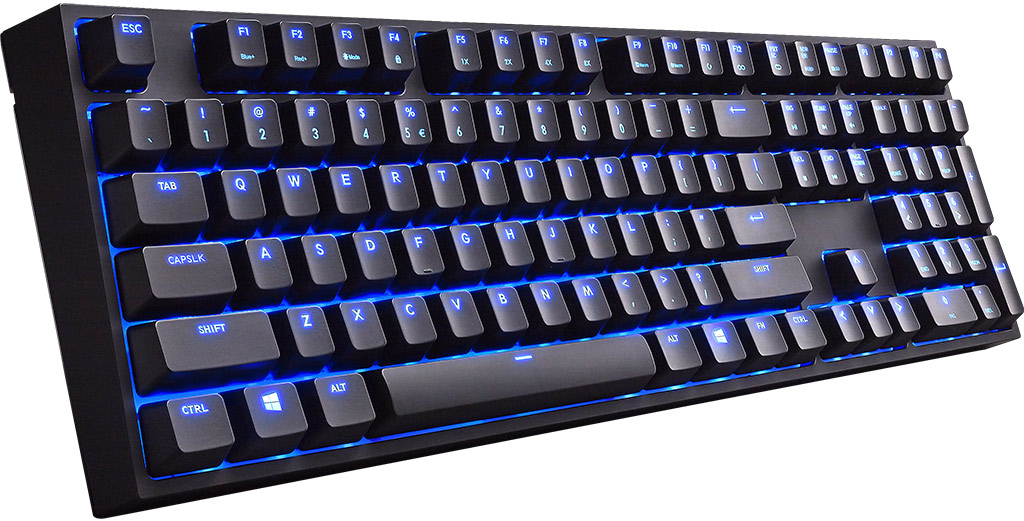
Appearance is a subjective rating, but considering that Quick Fire XTi adheres to the standard layout and lacks any discernible branding there’s not a lot to score… unless you count the many color schemes available! It’s true that on its own, Quick Fire XTi looks like any other full-size keyboard. Choose any of the 35+ backlit color schemes, and suddenly this keyboard takes on a whole new attitude. So then, business up front and party in the back?
Construction is one area where Quick Fire XTi receives very high marks. Cherry MX switches guarantee 50-million key strokes, and ABS keys ensure that no amount of regular use will crack or deform the caps. Firmware updates and guides are available from gaming.coolermaster.com. Cooler Master offers a two-year worldwide warranty on this keyboard, and has an online portal available at support.coolermaster.com to submit service requests.
The standard 104-key layout makes it easy for users to adapt to Quick Fire XTi, and the four macro profile buttons help promote extended functionality. LED ‘ActivLite’ backllighting enables any combination of red/blue colors, and display schemes help give users real-time feedback of their key presses which is helpful when learning combinations. NKRO functionality is very beneficial to gamers, who escape the dreaded dead-key press in action.
As of November 2015, the Cooler Master Quick Fire XTi Mechanical Gaming Keyboard with Cherry MX Blue switches (model SGK-4060-KKCL1) was available online for $145 (Amazon | NewEgg). This places the price near the middle of premium gaming keyboards with similar features, so some comparison is recommended.
In conclusion, the Quick Fire XTi Mechanical Gaming Keyboard is built solid with macro profiles and high-quality backlit switches that will likely outlast the user. While everyone has a preference, my recommendation for gamers is to get hands-on with Cherry Blue, Brown, and Red switches to make the decision for themselves before purchase. Whatever style you prefer, the Cooler Master Quick Fire XTi has you covered.
+ Genuine Cherry MX key switches
+ ABS key caps with UV coating
+ Four custom macro profiles
+ 35 LED backlight schemes
+ N-Key rollover feature
+ Windows key cap replacement
– Single-shot painted key caps
– 5′ USB cable may be too short
– Lacks dedicated media keys
– No GUI macro software
-
Performance: 9.50
-
Appearance: 9.00
-
Construction: 9.75
-
Functionality: 9.00
-
Value: 7.75
Excellence Achievement: Benchmark Reviews Golden Tachometer Award.
COMMENT QUESTION: What Cherry switch do you prefer most?