By David Ramsey
Manufacturer: Seagate Technology PLC
Product Name: LaCie Porsche Design Desktop Drive
Part Number: STFE80001000
UPC: 763649089941
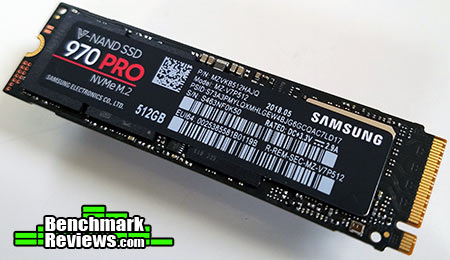
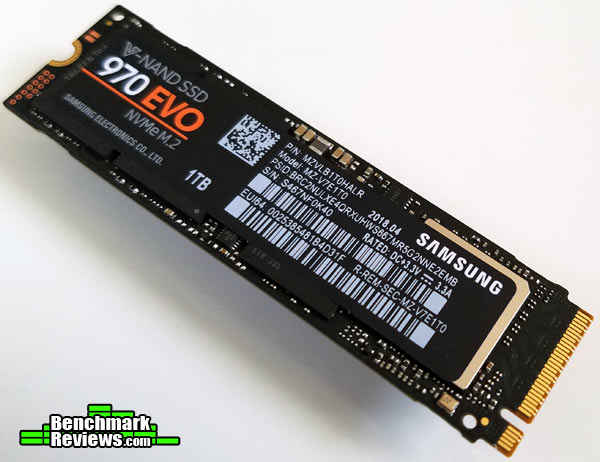
Price As Tested: MSRP $199.99 / $249.99 / $349.99 (4TB/5TB/8TB)Full Disclosure: Samsung Electronics Co. Ltd. provided the product sample used in this article.
LaCie is a well-known brand to Mac users, as it started as a company supporting Macs in the early 1990s. Acquired by Seagate Technology in 2012, it now serves as Seagate’s “premium brand”, designing “world-class storage solutions for photographers, videographers, audio professionals, and other power users.” Utilizing the latest USB-C connector and providing up to 8GB of storage as well as simultaneously charging your laptop computer, the LaCie Porsche Design Desktop Drive is powerful, stylish, and usable with any computer with a USB 3.0/3.1 port. There are other features as well, which Benchmark Reviews will test in this review of this interesting external drive system.

| Capacity | 4TB / 5TB / 8TB |
| Interface | USB 3.1 (Gen.1) |
| Form Factor | 123mm x 178mm x 39mm |
| Weight | 870 g / 1.9 lbs |
| Transfer rate | 5Gb/s (max theoretical speed) |
| Platform | Win 7 or later, Mac OS X 10.5 or later |
| Software | LaCie Backup Assistant LaCie Desktop Manager Eco Mode |
| Warranty | 2 years |
Let’s take a look at this drive in the next section.
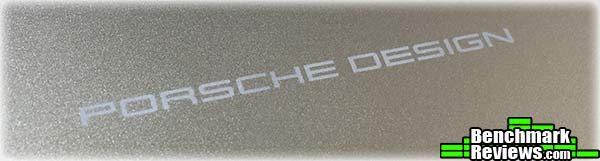
The LaCie Porsche Design Desktop Drive is a handsome beast, eschewing the exaggerated styling used in some other drives. It’s a minimalist matte aluminum block, with “Porsche Design” almost invisibly– depending on the lighting and angle– engraved on the top.
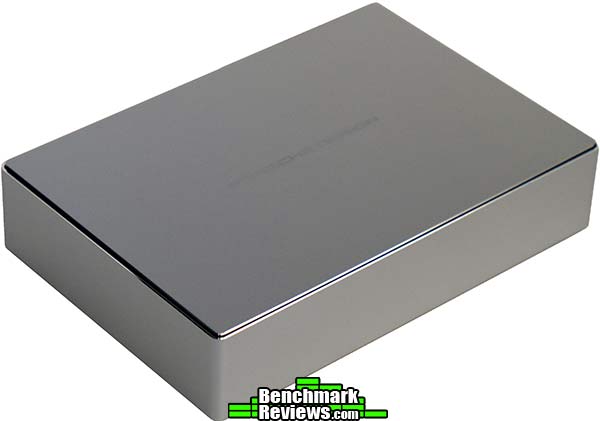
The only detailing on the drive is this very subtle logo…
…and this nicely executed bezel. Jony Ive would approve.

This enclosure contains a 3.5″ desktop drive, so it’s going to need an external power supply. The connector for this supply is on what I’ll arbitrarily call the “rear” of the housing, next to the USB Type-C connector and a drive activity light– or, rather a hole through which a tiny white LED can indicate drive activity. There is no power switch.

Included with the drive is a power supply, a USB-C to USB-C cable, and a USB-C to USB-A cable, the latter for connecting to the USB 3.0 port of computers that don’t have USB-C ports.

In lieu of printed documentation, LaCie thoughtfully provides these diagrams printed on the side of the accessories box:
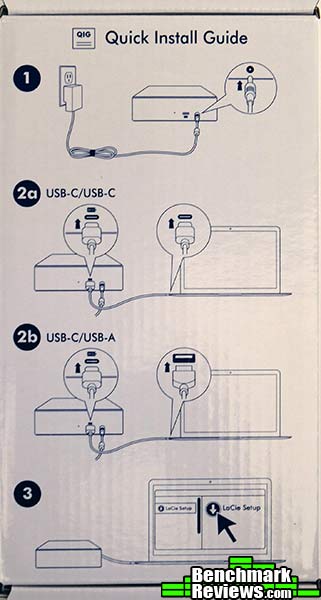
Although LaCie doesn’t provide any details on the mechanism inside its stylish case, it’s likely Seagate’s ST8000DM002 8TB SATA6 desktop drive. However, aside from listing the dimensions, weight, and capacity, even Seagate’s web site is devoid of technical details such as the rotational speed and number of platters.
Let’s take a look at the performance of this drive in the next section.
It has been years since Benchmark Reviews has tested a “spinning platter” mechanical hard drive; the plummeting prices of solid state drives (SSDs) have rendered hard drives obsolete as primary drives in enthusiast systems. Even the least expensive, lowest-specification SSD will outperform the fastest hard drive, so there seems little point in comparisons.
However, hard drives still have a place for things like backup and storing large amounts of data; uses where performance is not a priority. Still, it matters at least a little, and we are “Benchmark Reviews”, so I decided to see what I could come up with.
We were asked to test this platform on a computer with a USB-C port, and the one machine we had available was a 12″ Macbook Retina. This computer was the first to offer USB-C, and in typical Apple fashion, they went the full Monty: the single USB-C port is the only external port on the computer aside from an earphone port. The USB-C port is used for charging, connecting external drives, connecting monitors, whatever: the USB-C connector and protocol can handle pretty much anything. Which makes things like, say, charging and using an external device at the same time a little complicated. However, the LaCie Porsche Design Desktop Drive can charge the Macbook at the same time it’s being used as an external drive, all due to the wonders of USB Type C.
Since it’s been so long since we’ve tested any hard drives, we have no historical performance data for modern hard drives, and our storage device test suite is Windows-centric. So I rounded up two more external drives I had that I could connect to the Macbook: a Samsung T3 external SSD, and a Seagate 2TB USB-powered external drive, for comparison, and used the Blackmagic Disk Speed Test utility to gauge performance.
If it’s been a while since you’ve used a hard disk, or perhaps have never used one, you may have forgotten/not know that read and write performance will vary dramatically from the fast, outside tracks of a spinning hard disk to the slower, inside tracks. The difference can be as great as 2:1. The performance numbers I’ll present represent the fastest possible performance from the outer tracks of freshly-formatted drives using the Black Magic disk utility reading and writing over a 5GB section of the disk. First, let’s check the Samsung T3:

Samsung T3
Like the LaCie drive, the Samsung is a native USB 3.1 drive, although– again like the LaCie– it’s only running at the 5Gb transfer rate instead of the full 10Gb allowed by the specification. Still, it turns in performance not too far off from a good 2.5″ desktop SSD, with 426MB/s reads and 395.5MB/s writes. Also, unlike the two hard drives I’m using for comparison, the Samsung will maintain this performance across the entire drive, although write performance can drop under heavy continuous loads.
Next, I tested a 2TB Seagate Backup Plus Portable Drive, the kind of thing you’d pick up in an office supply store.
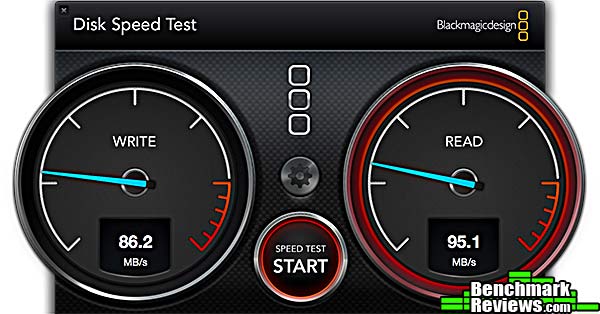
Seagate Backup Plus
While unimpressive by SSD standards, in historical context this is excellent performance, especially considering it’s a tiny, low-power laptop-class drive.

LaCie Porsche Design
The LaCie Porsche Design Desktop Drive turns in a pretty decent score, not too far off what a 10,000RPM Western Digital Velociraptor high-performance drive could provide.
Remember that these results are the maximum the (hard drives) can return; average performance across the entire disk will be less. Also, you can’t compare these results to any results from any other benchmark. Now that we’ve a handle on what the drive can do performance-wise, let’s take a look at the utility software in the next section.
The first time you connect the LaCie Porsche Design Desktop Drive, you’ll see this icon on your desktop:

Opening this pseudo-volume reveals a single program: the LaCie Setup Assistant. Your first task upon running it will be to decide how to partition the drive.

The idea here is that part of the drive will be formatted as HFS+, for Mac use, while another part will be formatted as FAT32. The idea is that since Macs can read and write FAT32 volumes, a FAT32 partition can use used to share information if the drive is used with both Mac and Windows computers.
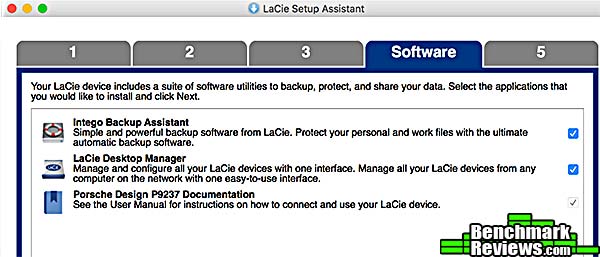
After the drive is partitioned and the volumes formatted, the last step is to install the utility software. This comprises a simple Desktop Manager program and the more interesting Intego Backup Assistant.
The Desktop Manager doesn’t do much: it can reformat your drive (by launching Apple’s own Disk Utility), or set “Eco Mode”, which Apple calls “put hard disks to sleep when possible.”

Intego Backup Assistant is a powerful and versatile utility that can keep your internal drive backed up to the LaCie drive, as well as synchronize folders on multiple machines using the Porsche Design Desktop Drive as an intermediary.
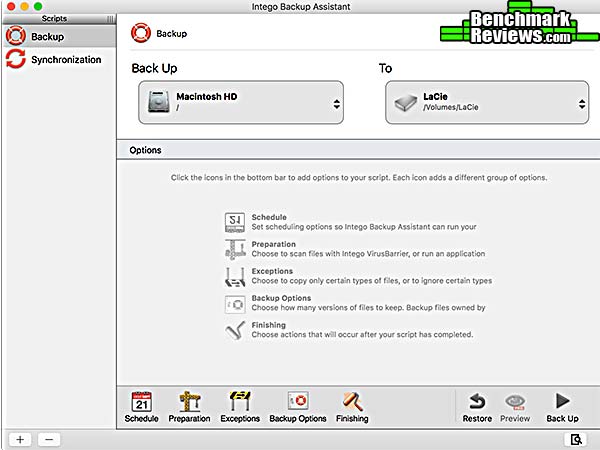
Intego Backup Assistant has many more options than does Apple’s own Time Machine, and you can designate that files or folders be copied or not based on a number of criteria (visibility, file type, file name, date of last modification, and so forth). You can also create multiple backup scripts that will run on a defined schedule: for example, full system backups that occur weekly, and user file backups that occur daily.
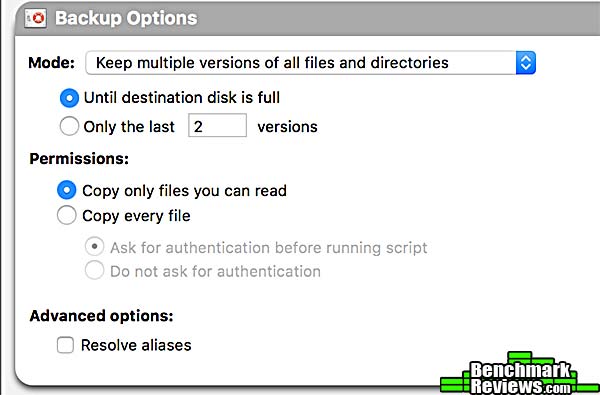
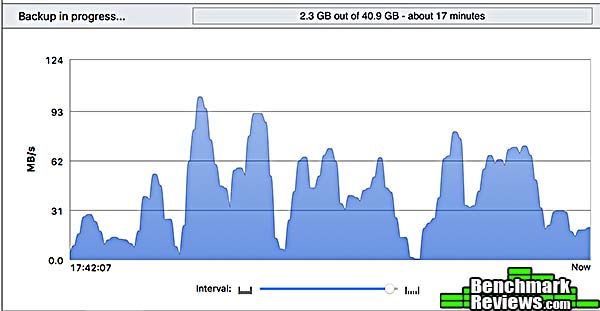
While it’s running, you can visualize the backup progress in a number of ways. I liked the throughput graph best…if you have nothing better to do than watch your backup run.
Like Time Machine, Intego Backup Assistant produces Finder-readable backups that you don’t need a specialized utility to read or restore from, and uses hard links to minimize backup space while presenting the user with what appear to be full incremental backups.
In the next section I’ll discuss my final thoughts and conclusion.
IMPORTANT: Although the rating and final score mentioned in this conclusion are made to be as objective as possible, please be advised that every author perceives these factors differently at various points in time. While we each do our best to ensure that all aspects of the product are considered, there are often times unforeseen market conditions and manufacturer changes which occur after publication that could render our rating obsolete. Please do not base any purchase solely on our conclusion, as it represents our product rating specifically for the product tested which may differ from future versions.
Large, heavy (heavier than the Macbook Retina I used in this review), and tethered to AC power, the LaCie Porsche Design Desktop Drive is indeed a “desktop drive”, rather than a portable or mobile drive that’s meant to be taken with you.

I have to admit I’m struggling to understand the user to whom Seagate / LaCie is marketing this drive. Sure, they say “…photographers, videographers, audio professionals, and other power users.”, but those type of folks generally don’t do their work on low-powered ultra-thin machines like the Macbook Retina or HP Spectre 13s. Of course the drive can be used with any USB 3.0 port, too, and performance will suffer not at all, although you will lose the ability to charge your computer with the drive. Still, it could just be that LaCie’s a little ahead of the market: Type-C ports will doubtless be common on professional laptops within a year, and the drive certainly makes more sense paired with a Macbook Pro or similar computer that professional photographers, videographers, etc. are likely to use.
LaCie’s default formatting of the drive with a separate FAT32 partition, and their inclusion of synchronization software, seems to indicate that they’re trying to position the drive as a destination for multiple computers; slotting it in somewhere between bus-powered 2.5″ drives and entry-level NAS systems. I don;t know if the niche is large enough to make this product a success, but that’s all I can think of.
On its own merits, thought, this is indeed a premium product: superb design and physical quality, massive storage, and the ability to charge exactly the type of computer that it makes no sense to use with the drive.
My complaints are few: although the drive’s smart enough to spin down when it’s disconnected or your computer goes to sleep, a physical power switch would still be nice. And putting the activity LED on the back of the drive so you wouldn’t have to run a wire to the front just seems cheap in what’s billed as a “premium brand” and “world-class storage solution.”
If all you need is a backup solution, there are smaller, less expensive, and more portable drives available– Seagate offers 4TB bus-powered drives both under their own label and with LaCie branding. But if even more storage and the ability to charge your computer are things you’re looking for, this one is the one you want.

+ Massive storage
+ High-end aesthetics
+ Included backup software
+ Charges your computer! If you have the right computer.
– Large, heavy, AC-only
– No power switch
– Activity indicator on rear of drive
- Performance: 8.5
- Appearance: 9.75
- Construction: 9.00
- Functionality: 9.00
- Value: 8.50
Quality Recognition: Benchmark Reviews Silver Tachometer Award.
COMMENT QUESTION: Which brand of SSD do you trust most?